How do I adjust the bass of Boom 2 Plus?
Q: How do I adjust the bass of Boom 2 Plus?
1. Open the Anker soundcore app and go to the Boom 2 Plus device page.
2. Select Custom EQ in the EQ settings.
3. Adjust the 80 Hz band within a ±6 dB range. If the bass is too strong, lower the 80 Hz band. If it is too weak, raise it.


14 undefined
soundcore Boom 2 Plus Bluetooth FAQ


soundcore Boom 2 Plus FAQ
Guide to Locating the Serial Number (SN) of Your soundcore Speakers
Charging Instructions for Boom 2 Plus
Why is there noise when the phone is playing through an AUX connection while also being charged via the speaker
What should I do if I can't find my device via Bluetooth? Or if the Bluetooth connection is unstable?
How to pair PartyCast 2.0 devices with PartyCast 1.0 devices?
How can I pair two Boom 2 Plus speakers at the same time via TWS?

【A3134】soundcore Boom 2 Plus EU Declaration
Boom 2 Plus Lietotāja rokasgrāmata (A3134)
soundcore Boom 2 Plus دليل المستخدم (A3134)
Boom 2 Plus Ръководство за потребителя (A3134)
Boom 2 Plus Korisničko uputstvo (A3134)
soundcore Boom 2 Plus Uživatelská Příručka (A3134)
View More

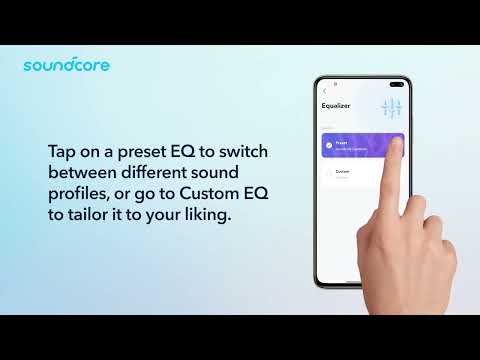
How to use the Anker soundcore app for Boom 2 Plus speaker

How to Use TWS Pairing with Boom 2 Plus speakers?

How to Set Up LED Light Effects

How to Link Speakers with PartyCast
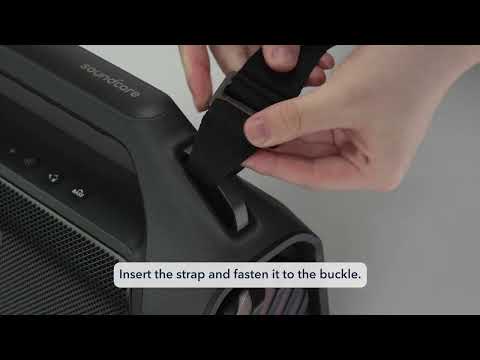
How to Use the Shoulder Strap


