How do I access and use the LDAC function on Motion 100?

LDAC is a Bluetooth encoding format that can transmit 3 times the amount of data of ordinary Bluetooth SBC.


To enable LDAC, ensure your phone runs Android 8.0 or higher, then perform the following steps:

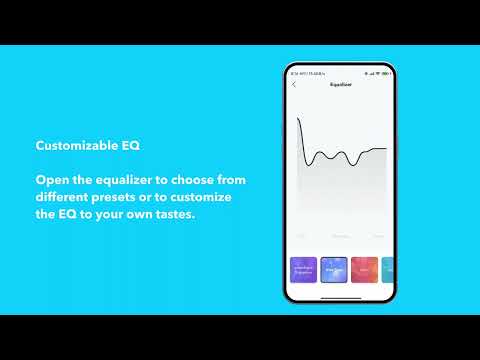
1. Open the Soundcore app

2. Go to "Settings"

3. Click on "Sound Mode"

4. Select "Preferred audio quality" to switch to LDAC.


Notes:

- The proces may take about 10 seconds, or require you to update the speaker's firmware. Do not use the app or speaker while updating the firmware.

- LDAC provides higher quality music, but it will increase power consumption and reduce playtime.

- Make sure you use LDAC in a low interference environment to ensure a stable connection.


If you have additional questions, please contact us at service@soundcore.com for further assistance.


How do I access and use the LDAC function on Motion 100?
5 undefined
soundcore motion 100 FAQ
2764 views/2 likes/2023-11-08 18:11:14
How do I pair two Motion 100 speakers via TWS?
1561 views/1 likes/2025-04-08 16:02:34
EU Declaration of Conformity for soundcore A3i_A3992
A3961 QSG V2(1)
UK&CA Declaration of Conformity for soundcore Liberty 4_A3953
EU Declaration of Conformity for soundcore Liberty 4_A3953
A3947_Liberty 4 NC_QSG
Liberty 4_A3953_QSG
View More
How to use Liberty 4 Wellness features
How to Wear Liberty 4 and Change Eartips
How to Pair and Reset Sport X10
How to solve a connection issue on Sleep A10
How to Connect to the Soundcore App and Update Firmware for Sport X10
How to Use Features On the Soundcore App for Sport X10
View More
Contact Us