Our Boom 2 Plus supports Partycast 2.0, which is compatible with pairing with Partycast 1.0 speakers. Below are the pairing instructions:
1. Turn on the main speaker (PartyCast 2.0) and connect it to your phone.
2. Turn on the secondary speaker (PartyCast 1.0), ensuring that it is not connected to your phone.
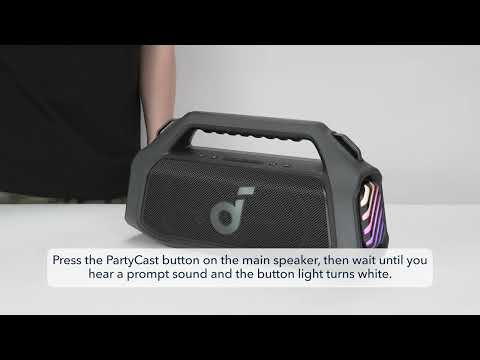
3. Briefly press the PartyCast button on the main speaker until you hear a prompt, then immediately press the PartyCast button twice quickly to revert to PartyCast 1.0.
4. Long press the Bluetooth button on the secondary speaker to enter PartyCast pairing mode. At this point, the Bluetooth indicator light will change from flashing blue to flashing white. Double-press the Bluetooth button to enter PartyCast secondary speaker mode, and the Bluetooth indicator light will change from slow flashing white to fast flashing white.
5. When the secondary speaker's Bluetooth light turns white, PartyCast pairing is successful.
If you have additional questions, please contact us at service@soundcore.com for further assistance.