This article covers connecting to the soundcore app, updating firmware, and setting up HearID — plus what to check if the app can't find your earbuds.
Connecting to the App for the First Time
-
Download the latest soundcore app from your app store. If you already have it installed, uninstall and reinstall rather than updating over the existing version — this avoids issues left over from an older install.
⚠️ Note: uninstalling deletes any recordings stored locally in the app, and they can't be recovered — back these up first if you have any.
-
Pair the earbuds with your phone via Bluetooth first (the app currently only supports phone connections, not computers).
-
Open the app, tap Add Device, and allow location access when prompted — this is required for Bluetooth device detection on both iOS and Android, not something specific to this app.
-
If the app doesn't detect the earbuds automatically, tap "Can't find your device?" and follow the manual setup to select the product series yourself.
If the App Can't Detect the Earbuds
-
Check whether your phone is already connected to other Bluetooth devices and disconnect them — some phones limit how many active connections they'll juggle at once.
-
If the first connection worked but a later one fails, this is often a dual-device situation: the app can only stay connected to one phone at a time, so close it on the other phone (or remove it from the background) before reconnecting.
-
Check your system region and language settings — on iOS, set the system region to United States; on Android, set the system language to English (United States).
-
Anker Liberty Buds 2 is not supported on iOS versions earlier than iOS 13.
If you still can't connect, have your phone model, soundcore app version, and a screenshot of your system region and language settings ready when you contact us.
Updating Firmware
-
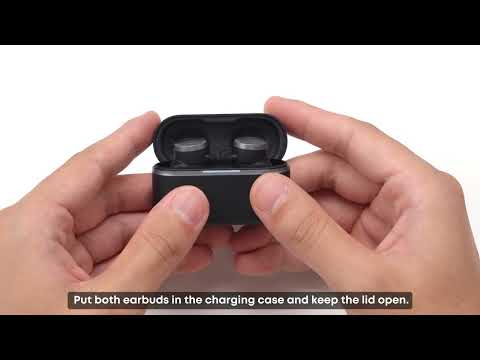
Place the earbuds in the case with the lid open, and make sure they have more than 20% battery — an update that runs out of power partway through can leave things in an inconsistent state.
-
Don't use the earbuds during the update.
-
Update somewhere with a stable Wi-Fi connection, away from congested networks and cell towers — a dropped connection mid-download is the most common cause of a failed update.
-
If the installation fails, uninstall and reinstall the app, then restart your phone before trying again.
-
Check the app's location permission: Settings > Privacy > soundcore > Location > Allow Only While in Use.
-
If it still fails, try again once, or try from a different device to rule out a phone-specific issue.
If you encounter any other issues or your issue has not been resolved, please contact us for further assistance.