Thank you for supporting our product.
Overview
Nebula X1's Android 14.0.61 release features comprehensive enhancements in system performance, image quality, and audio experience. It delivers smarter image processing, smoother operation, improved stability, and new customization and audio control features to enhance the overall user experience.
Firmware Update Paths
1. Projector Main Firmware Update
Target Version: V14.0.61.
Path: Settings → System → About → System Update
Estimated Upgrade Time: ~30 minutes (upgrade from Android 11 to Android 14)
Minimum Storage Required: 1 GB free space
Note:
After upgrading from Android 11 to Android 14, some third-party applications may experience issues such as abnormal functioning or stuttering playback. This is due to Google continuously tightening storage access permissions since Android 10, and relevant applications (such as Kodi, VLC, etc.) that require full disk access not being adequately adapted to these changes.
To resolve this, you will need to clear the app data in settings, or uninstall and reinstall the application to restore normal functionality.
Key Updates
1. Dynamic Contrast
The dynamic contrast function has been expanded from 3 levels to 5 levels, introducing a new real-time backlight and iris control algorithm for better picture depth and transition smoothness.
Improvements:
- Higher Contrast: Backlight automatically lowers in dark scenes and brightens in light scenes.
- Deeper Black Levels: Improved iris coordination for cleaner low-light detail.
- Smoother Transitions: Adaptive step size reduces brightness flicker.
- Smart Power Saving: Dynamic power management adjusts based on scene content.
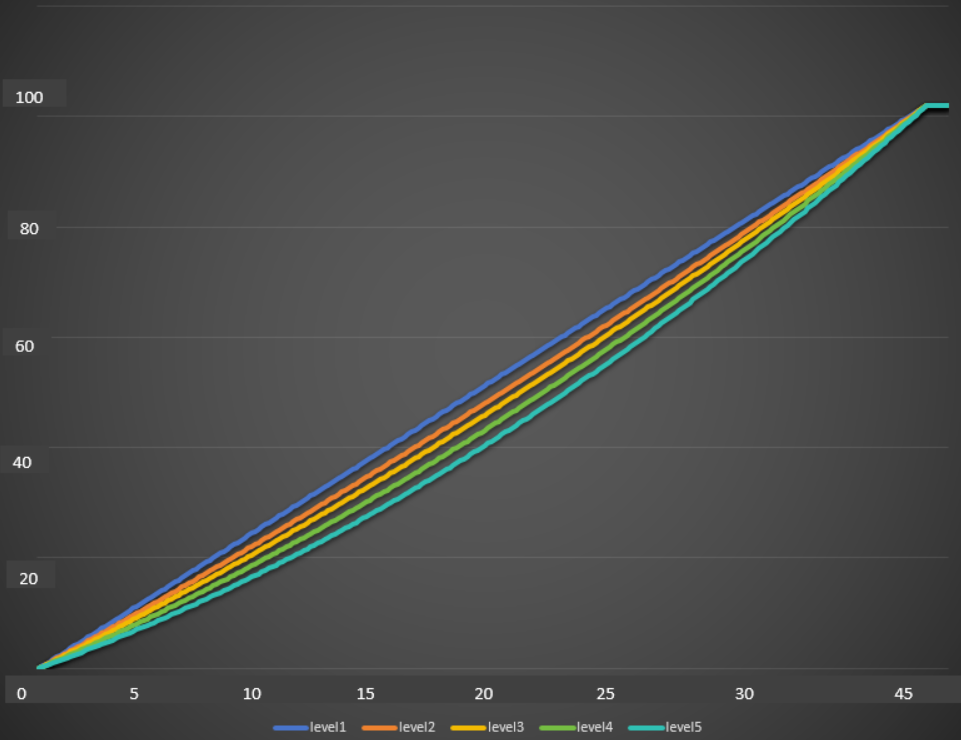
1.1 Backlight Curves for Five Levels
- X-axis: Image grayscale 0~255 (dynamic backlight activates at grayscale 45)
- Y-axis: Backlight variation range 0~100
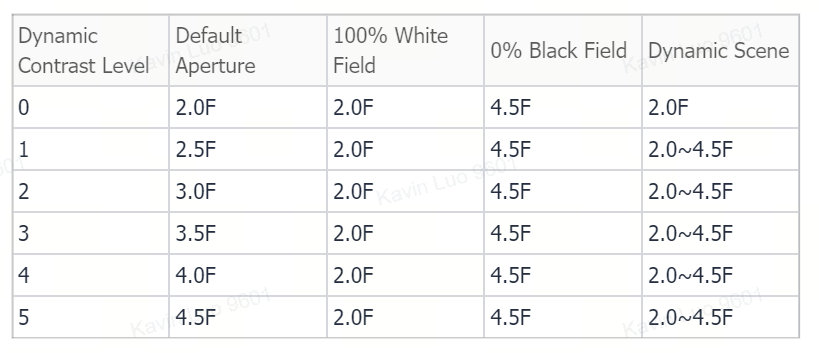
1.2 Level Settings and Aperture Relationship
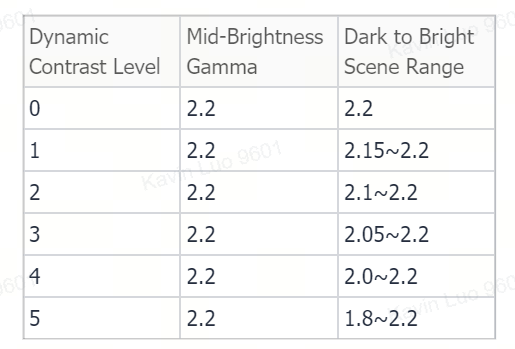
1.3 Gamma Variation
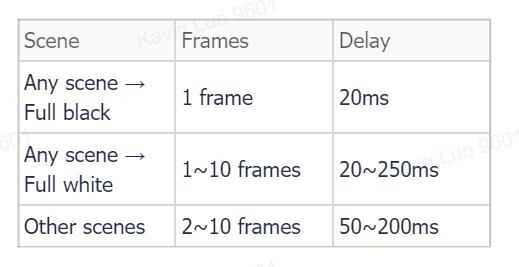
1.4 Dynamic Contrast Response Time
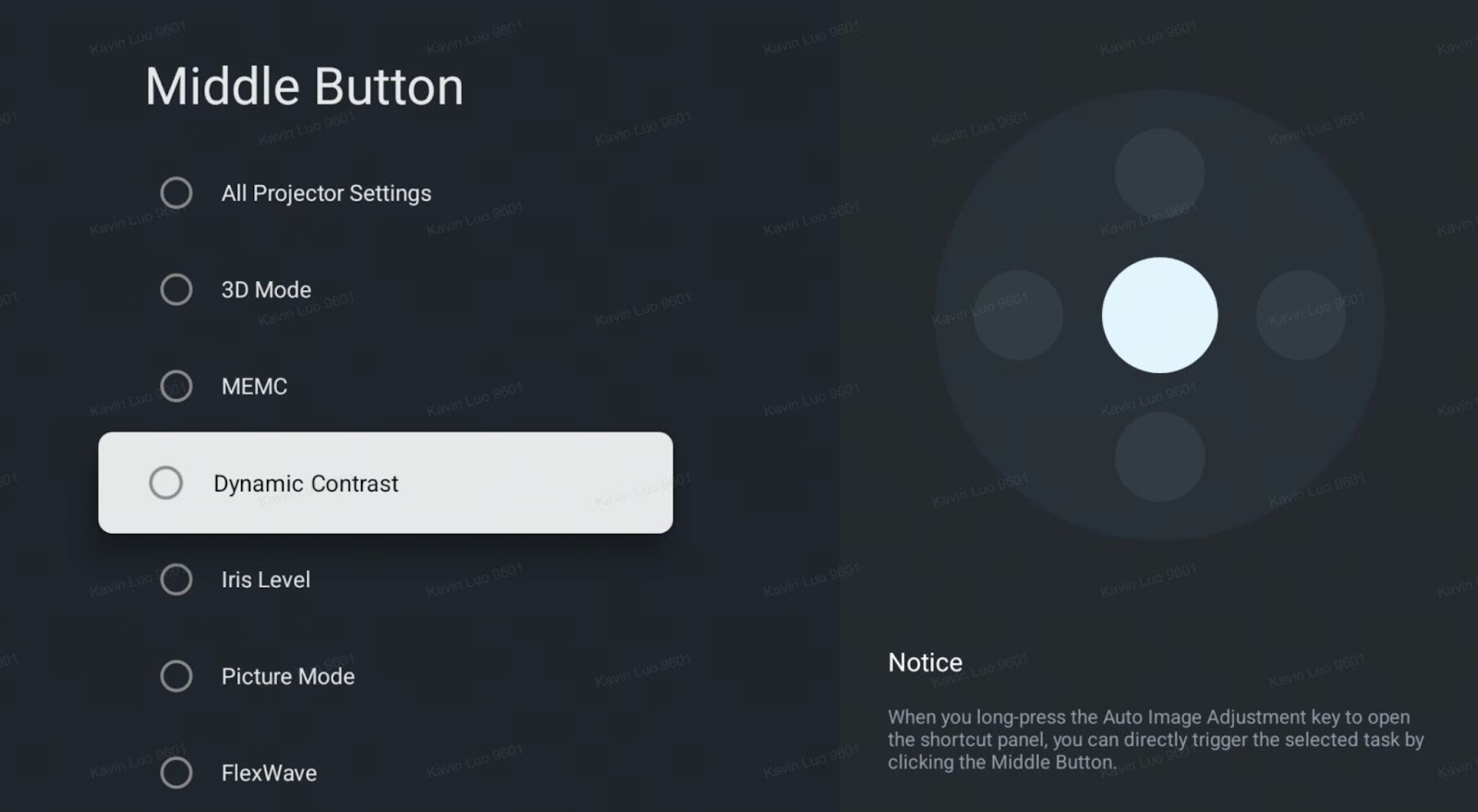
2. Nebula Dashboard Custom Quick Buttons
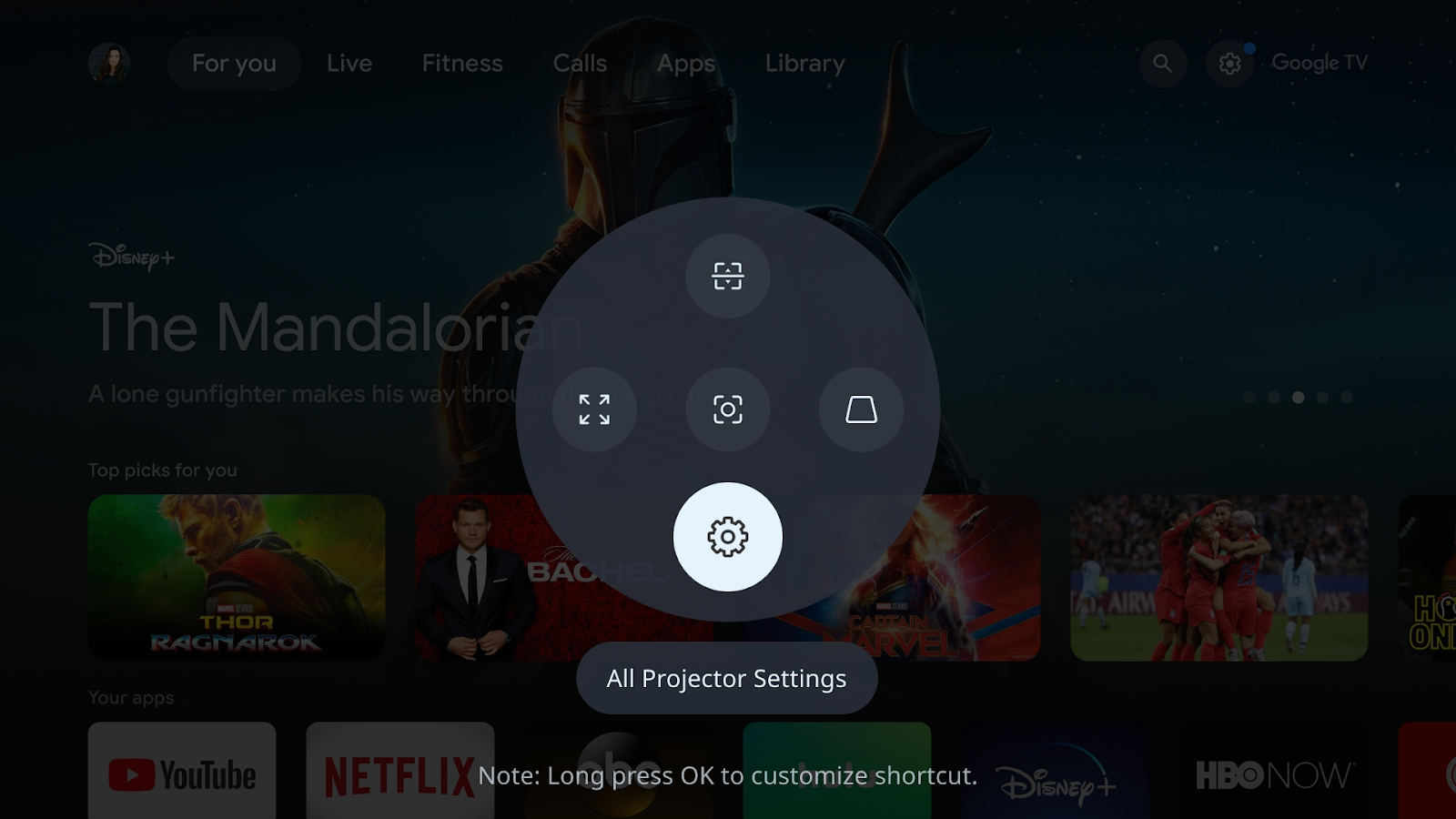
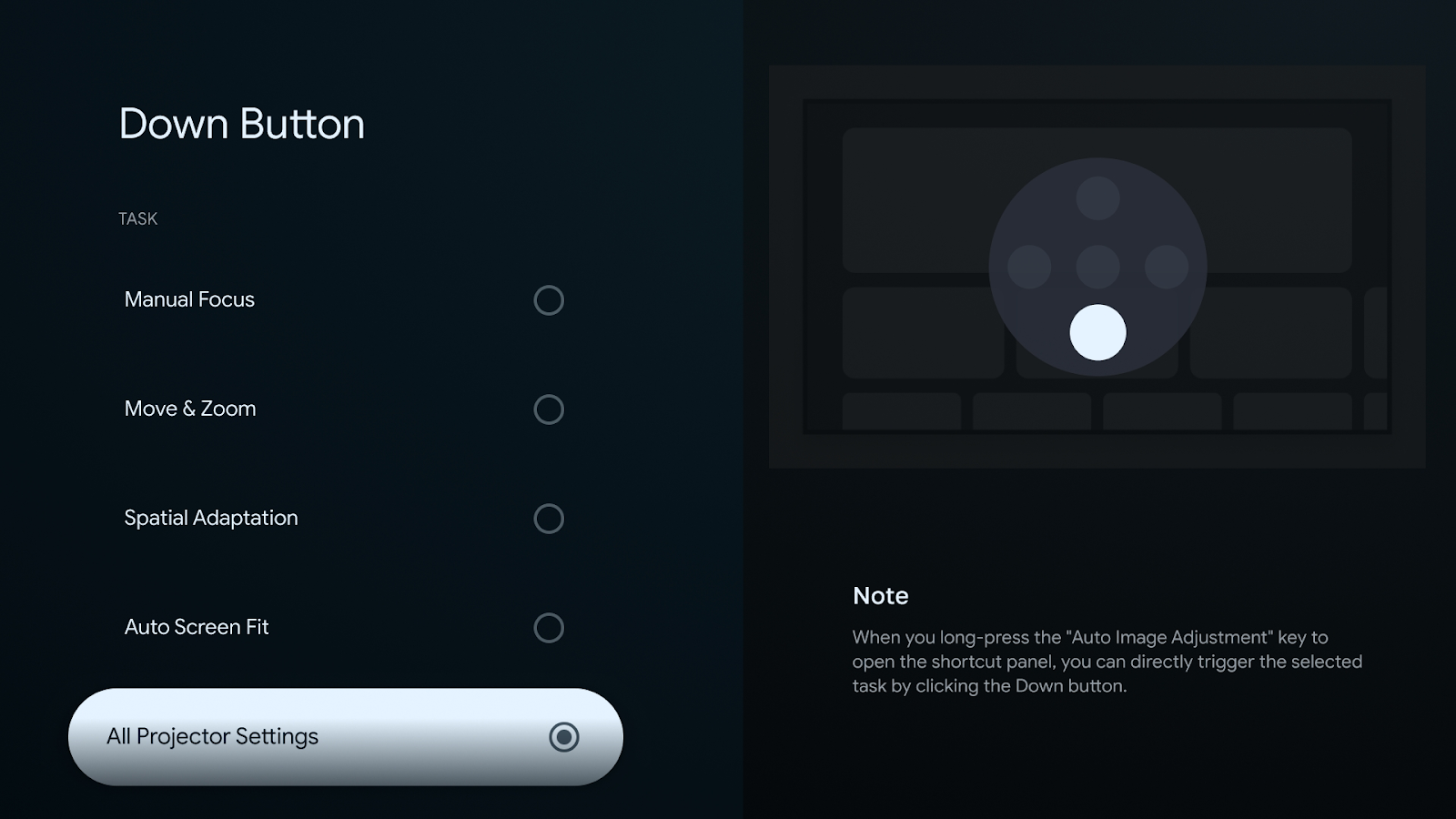
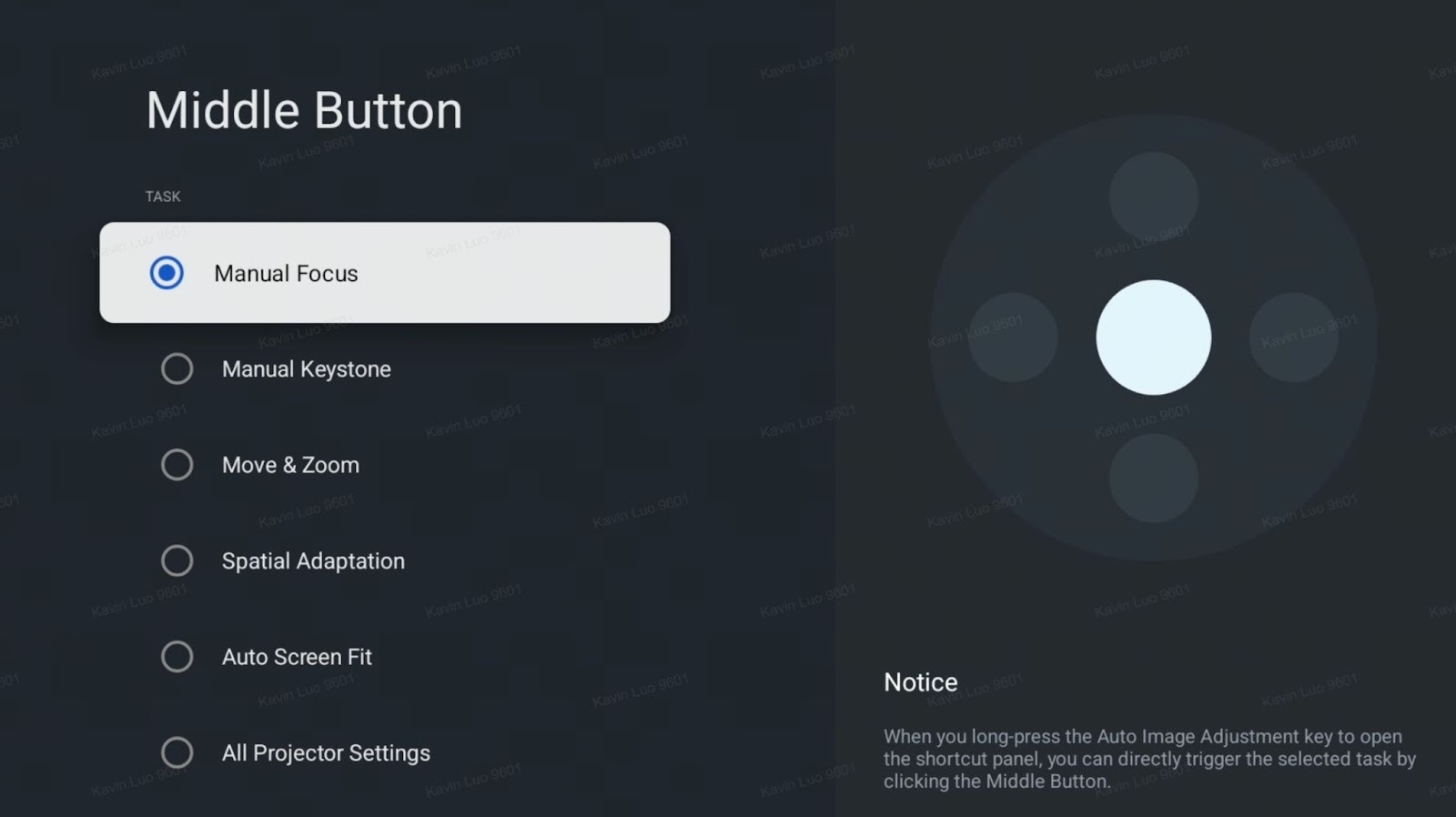
You can now customize the functions of each quick panel button – create a personalized setup that matches your usage preferences.
Customizable features include: Manual Focus, Manual Keystone, Move & Zoom, Spatial Adaptation, Auto Screen Fit, All Projector Settings, 3D Mode, MEMC, Dynamic Contrast, Iris Level, Picture Mode, Microphone Settings, Speaker Settings, Sound Mode, Bluetooth Speaker Mode, Recall.
3. U disk file format extension supports exFAT format
4. System Performance and Responsiveness Enhancements
Improved system smoothness and UI operation speed.
Reduced stuttering and delays during app switching and system navigation.
5. Optimize the laggy playback issue of Disney+
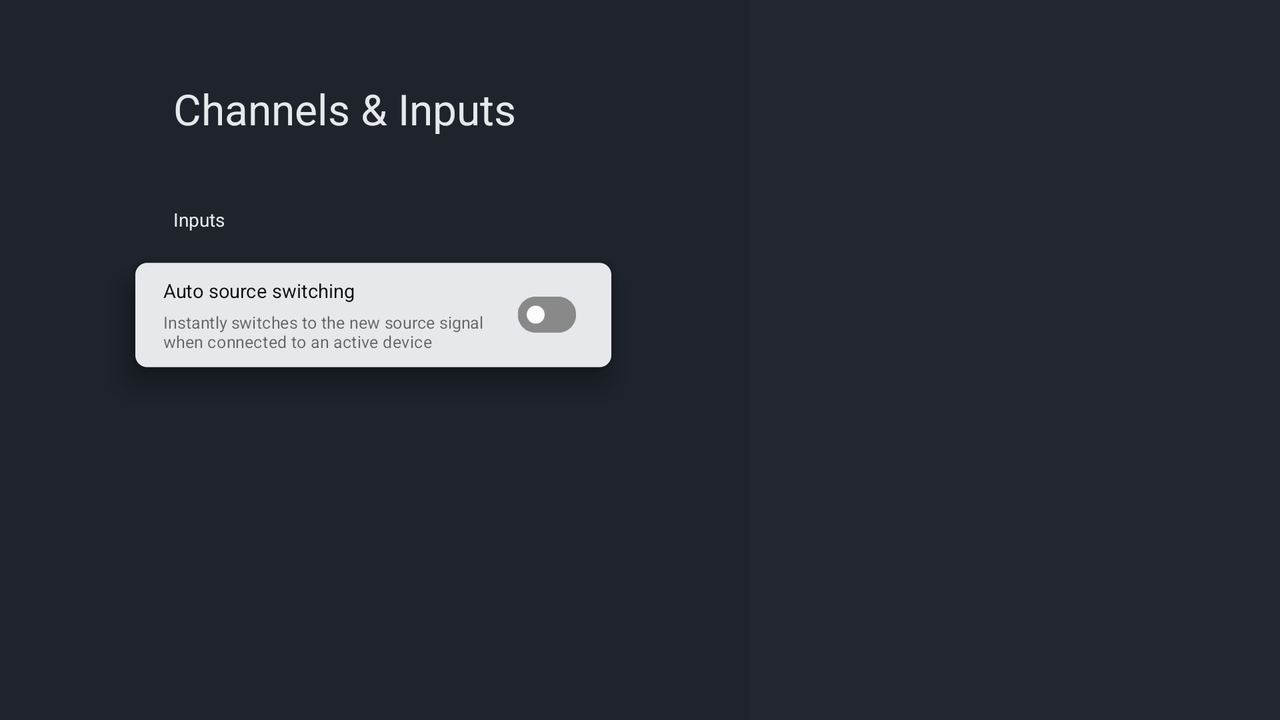
6. Due to Google's restrictions, it no longer supports automatically exiting to GTV when HDMI is unplugged, only supports automatically jumping to HDMI when plugged in, and the corresponding switch (Auto source switching) is factory defaulted to off.
If you have any other questions, please don't hesitate to contact Nebula Customer Support at service@soundcore.com for further assistance.