1. Which Bluetooth version does the soundcore Liberty 5 Pro support?
Earbuds: Bluetooth 6.1.
Charging Case: Bluetooth 6.0.
2.What audio formats does the soundcore Liberty 5 Pro support?
AAC, SBC, and LDAC.
3.What is the soundcore Liberty 5 Pro earbud battery capacity, and how long does it take to fully charge?
62mAh per earbud (×2); fully charges in 1 hour.
4.What is the soundcore Liberty 5 Pro charging case battery capacity, and how long does it take to fully charge?
690mAh; fully charges in 3 hours.
5.What is the soundcore Liberty 5 Pro's water and dust resistance rating?
IP55.
6.Does the soundcore Liberty 5 Pro support fast charging?
Yes, a 5-minute charge provides 4 hours of playtime (Normal mode).
7.What is the soundcore Liberty 5 Pro's Bluetooth range?
10 m / 33 ft
8.What is the maximum volume of the soundcore Liberty 5 Pro?
94 dBA
9.Does the soundcore Liberty 5 Pro support connection to multiple devices? What is the maximum number of devices?
Yes. It supports connection to up to 3 devices.
10.How long does it take to fully charge the soundcore Liberty 5 Pro earbuds?
< 1 hour.
11.How long does it take to fully charge the soundcore Liberty 5 Pro charging case?
Earbuds charging time: < 1 Hr
Charging time (wired): < 3 Hr (earbuds + charging case)
12.How do I set up HearID for soundcore Liberty 5 Pro in the app?
1). Log in to your soundcore app account.
2). Tap HearID Sound to take the test. After the test, the results will be automatically saved to the earbuds and applied.
13.How do I turn on the soundcore Liberty 5 Pro earbuds?
With earbuds in the case, open the lid to turn them on.
14.How do I turn off the soundcore Liberty 5 Pro earbuds?
1). Place the earbuds in the case and close the lid.
2). If left outside the case, they will automatically power off after 30 min of inactivity. You can customize this in the app.
Go to: App > More Settings > Auto Power Off > Never Power Off
15.How do I switch between tracks on soundcore Liberty 5 Pro?
1). By default, double tap the left earbud to skip to the next track, and double tap the right earbud to play or pause.
2). You can customize controls in the app.
16.What features does the soundcore Liberty 5 Pro charging case have?
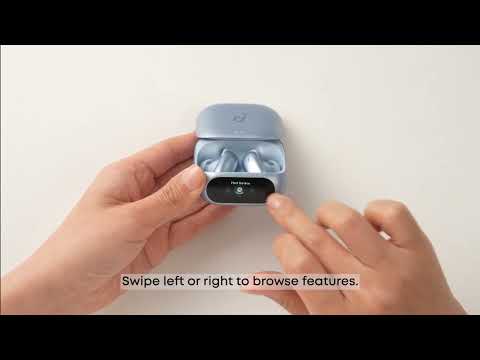
You can check earbud/charging case battery levels, switch ambient sound modes, change sound effects (including Dolby Audio), enable Easy Chat, use the remote camera function, find your device, and pair via Bluetooth (have the earbuds enter pairing mode; this is used for Multi-Device Connection).
17.Can I change the display language on the soundcore Liberty 5 Pro charging case? How do I do it?
The display language cannot be changed on the charging case itself, but you can do so in the app.
App settings path: Open the app > More Settings > Case Language > Select Language (Supported languages: Simplified Chinese, English, Japanese, German, Traditional Chinese, Arabic)
18.How do I unlock the soundcore Liberty 5 Pro charging case screen?
1). Opening the case unlocks it automatically.
2). When the case is closed, swipe up on the screen to unlock.
19.How do I check the soundcore Liberty 5 Pro earbud and charging case battery levels?
1). You can check directly on the charging case. Open the lid to view the battery levels of both the earbuds and the case, shown as a percentage from 0 - 100.
2). Once the earbuds are connected to your phone via Bluetooth, you can also check battery levels in the soundcore app, where they are displayed as percentages.
If you encounter any other issues or your issue has not been resolved, please contact us for further assistance.