Q: What Bluetooth codecs does Boom 2 support?
Boom 2 supports SBC and MPEG-2 AAC LC Bluetooth codecs.
Q: What Bluetooth version does Boom 2 use?
Bluetooth 6.0.
Q: What should I do if I can't find my device via Bluetooth?
Please make sure that Boom 2 is within the Bluetooth range of your phone.
If the device still does not appear, short-press the Bluetooth button on the speaker, then refresh the Bluetooth search on your phone.
If the issue persists, reset the speaker by pressing and holding the Bluetooth button and the Volume + button simultaneously for 5-10 seconds. You will hear a prompt, and the speaker will restart automatically.
Q: What is TWS and does soundcore Boom 2 support it?
TWS stands for True Wireless Stereo, and it allows two identical speakers to play stereo sound after pairing up. soundcore Boom 2 supports TWS.
Q: How can I pair two Boom 2 speakers at the same time via TWS?
Turn on both speakers.
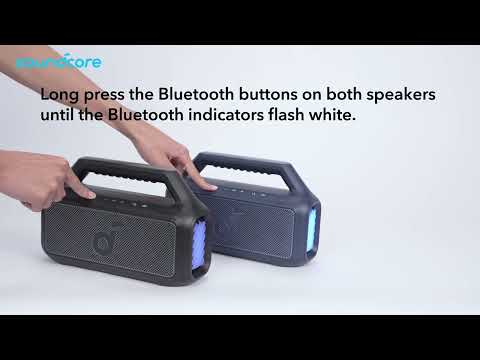
Hold the Bluetooth button on both speakers until the indicator light flashes white.
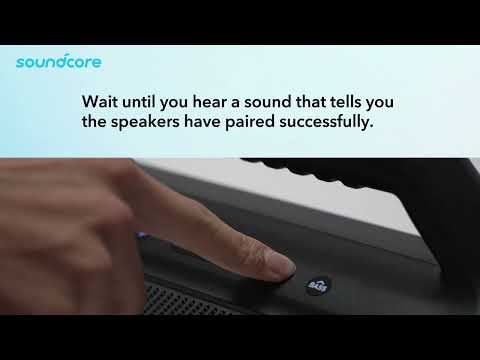
You'll hear a sound to indicate successful pairing. The indicator light on the main speaker will be blue, and the indicator light on the secondary speaker will be white. The main speaker functions as the left channel, and the secondary speaker functions as the right channel.
Q: How can I connect Auracast devices?
Power on all speakers you wish to connect.
Connect one speaker to your smartphone via Bluetooth. (Do not connect the other speakers.)
Once connected, press the Auracast button on each speaker. You will hear the Auracast activation tone.
The speakers will automatically link together. When pairing is successful, you will hear a confirmation tone.
Q: Why can't my Boom 2 connect to another Boom 2 or other Partycast devices?
To improve the Boom 2 user experience, we have upgraded the hardware to support Auracast. The new Auracast version cannot pair with older Partycast-enabled devices. However, it can pair with other Soundcore Auracast-compatible devices.
Q: Which devices can the Boom 2 Plus pair with via Auracast?
Boom 2 Plus can pair via Auracast with the following devices:
Boom 2 Plus and Boom 2 (Auracast version)
Boom Go 3i
Rave 3S and Rave 3
Please note: When pairing with Rave 3S or Rave 3, the Boom 2 Plus must be set as the secondary unit.
If you encounter any other issues or your issue has not been resolved, please contact us for further assistance.