1. Make sure your fingers are clean and dry when using touch controls.
2. Press the correct touch area (the logo area) for the controls to respond.
3. For double press, ensure the two presses are within 400 ms; for single press, make sure there is more than 1 second between presses.
Note:
1. By default, swiping up on the touch area (logo area) increases the volume. Swiping down decreases the volume.
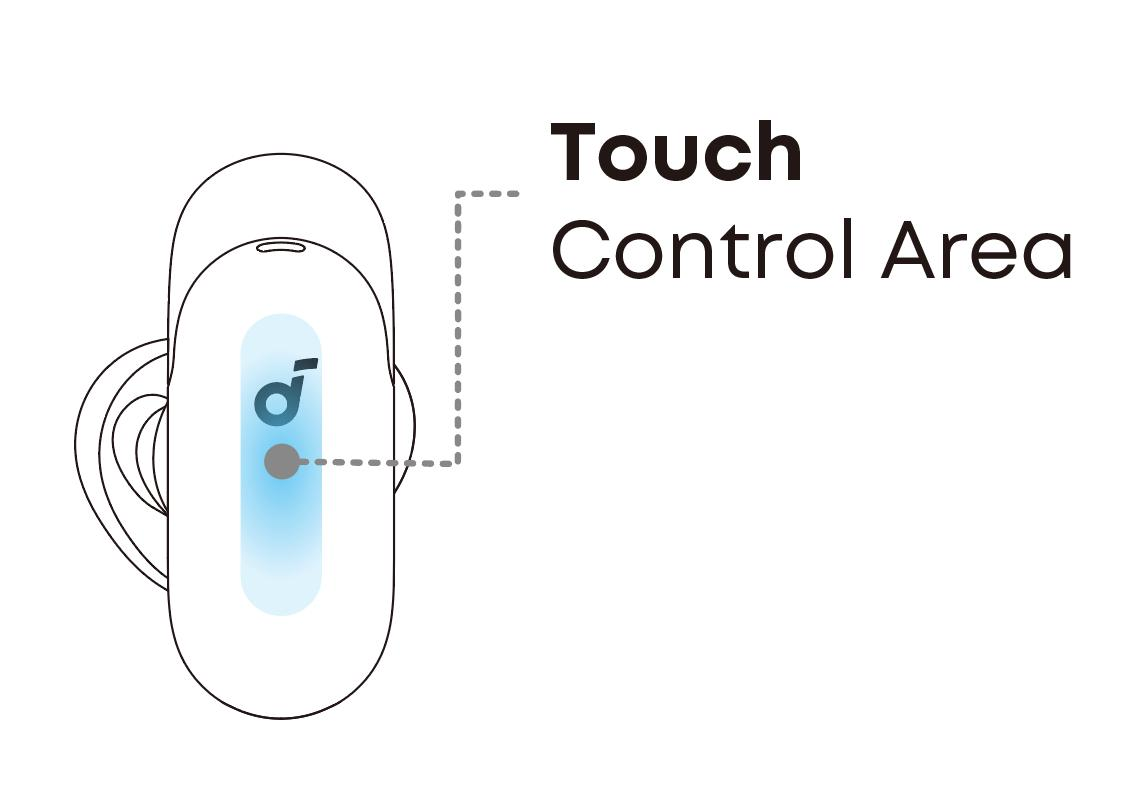
2. When using both earbuds: double press left earbud = next track (default), double press right earbud = play/pause (default); long press either earbud = switch ambient sound. Single press and triple press have no default function and can be customized in the soundcore app.
3. When using one earbud: double press = play/pause, long press = switch ambient sound. Single press and triple press are also customizable in the app.
4. Normal mode is not enabled by default in ambient sound switching. You can customize this in the app. Swipe control cannot be customized and currently only supports volume control.
If you encounter any other issues or your issue has not been resolved, please contact us for further assistance.