What should I do if the person I'm talking to says my voice is too quiet or cannot hear me clearly during a call on soundcore Liberty 5 Pro?

1. If using a single earbud, ensure the other is in the case with the lid closed.

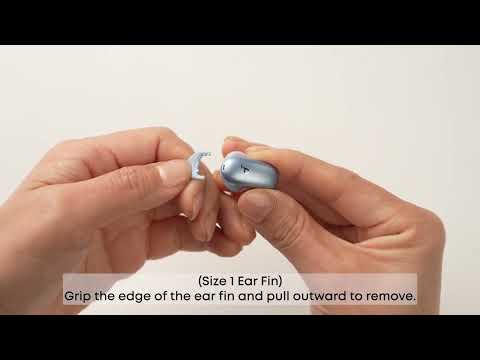
2. Try different ear tips and wings for a better fit. Check the L/R marks to ensure they are worn correctly for a tight seal. A poor fit can negatively affect call quality.

3. Ensure your device has "soundcore Liberty 5 Pro" selected as the audio output.

4. Switch to your phone's microphone and then back to the earbuds to see if it helps.

5. If using a third-party app (like WhatsApp or Skype), try making a standard phone call via the default app to see if the issue persists.

6. Test the earbuds in a quiet environment.


If you encounter any other issues or your issue has not been resolved, please contact us for further assistance.

Unresolved icon
66 undefined
Download icon
soundcore Liberty Buds User Guide (D1200)
Download icon
soundcore Liberty Buds 取扱説明書 (D1200)
Download icon
soundcore Liberty Buds دليل المستخدم (D1200)
Download icon
soundcore Liberty Buds Ръководство за потребителя (D1200)
Download icon
soundcore Liberty Buds Korisničko uputstvo (D1200)
Download icon
soundcore Liberty Buds Uživatelská Příručka (D1200)
View More
Play videoHow to Deep Clean Liberty Buds | soundcore Support
How to Deep Clean Liberty Buds | soundcore Support
Play videoHow to Reset Liberty Buds | soundcore Support
How to Reset Liberty Buds | soundcore Support
Play videoHow to Wear Liberty Buds Correctly | soundcore Support
How to Wear Liberty Buds Correctly | soundcore Support
Play videoHow to Connect to 2 Devices at the Same Time | soundcore Support
How to Connect to 2 Devices at the Same Time | soundcore Support
Play videoHow Do I Wear My soundcore Liberty 5 Pro Properly?
How Do I Wear My soundcore Liberty 5 Pro Properly?
Play videoHow Do I Use the Liberty 5 Pro's Touch Controls?
How Do I Use the Liberty 5 Pro's Touch Controls?
View More
Contact Us