The soundcore Liberty 5 Pro is engineered to deliver rich, high-fidelity audio with powerful bass and exceptional clarity. That said, sound is deeply personal — what sounds perfect to one listener may feel different to another, depending on individual hearing preferences, music genre, and listening habits. If the sound isn't quite what you're looking for yet, the good news is there are several ways to fine-tune it to match your personal taste.
If you would like to further refine the sound, the following steps may help:
1. Check your ear tip fit
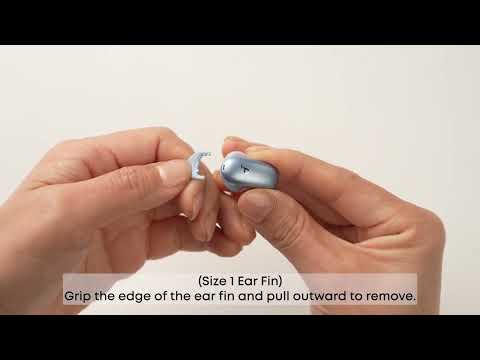
A proper seal is essential for full, balanced sound. Try different sizes of ear tips/ear wings until you find the best fit. You can even use different sizes for each ear (e.g., M tip on the left, L tip on the right).
2. Check your audio source
Test with a few different tracks or music genres to rule out a distorted or low-quality audio source. The issue may be with the file or streaming quality, not the earbuds.
3. Personalize your sound with HearID
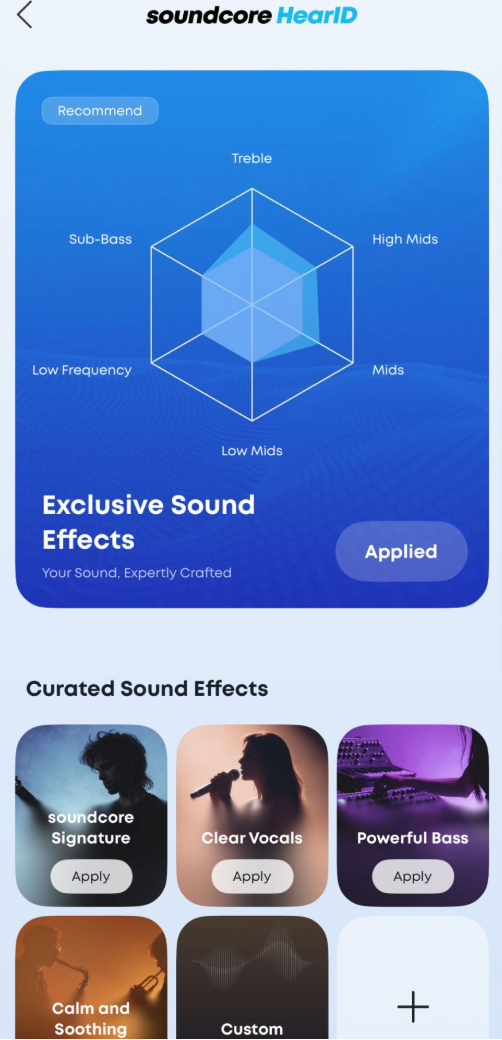
4. Adjust EQ settings in the soundcore app
Browse the built-in EQ presets or create a custom EQ to fine-tune the sound to your liking.
We also offer an alternative firmware version tuned with a different sound profile, which some listeners may prefer. If you've tried all the steps above and the sound still isn't quite right for you, our team can push this firmware directly to your device — and if it's not to your liking, we can roll it back to the original at any time, no strings attached.
To get started, reach out to us through Help & Feedback in the soundcore app and include the following:
-
Your device’s serial number (SN) — in the soundcore app, tap the settings icon (⚙️) in the top-right corner and scroll to the bottom of the Settings page.
-
A brief description of your sound experience — for example: "bass feels too weak," "sound is too bright/harsh," "lacks warmth," etc.
Once we receive your request, our team will review it and push the alternative firmware to your device remotely. You'll receive a prompt in the app to complete the update.
If you try the alternative firmware and prefer the original sound profile, simply let us know and we'll switch it back for you.
How to reach Help & Feedback:
-
Make sure your Liberty 5 Pro is connected to the soundcore app
-
Tap the settings icon (⚙️) in the top-right corner of the app
-
Scroll down to the bottom of the page
-
Tap Help & Feedback
If you encounter any other issues or your issue has not been resolved, please contact us for further assistance.