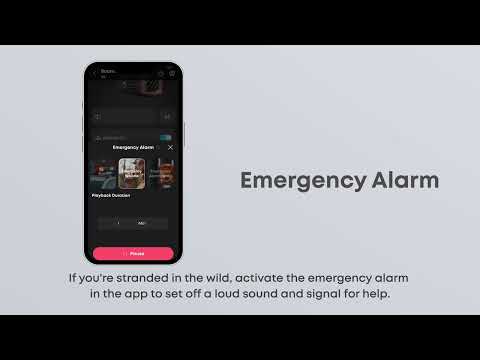
How does Boom 3i's emergency alarm feature work?
Hold the BassUp button for 5 seconds to activate the emergency alarm. Adjust the sound and its duration in the app.
Once activated, press any button to turn off the alarm.
Note: If Boom 3i is not updated to the latest firmware version, you can only turn off the alarm with the power button or pause/play button.
If you have additional questions, please contact us for further assistance.


20 undefined
Why doesn't the button light on Boom 3i light up?


How to Register Your E-Warranty Card in the Soundcore App
Does Boom 3i float?
soundcore Boom 3i FAQ
How do I update Boom 3i's firmware?
How can I use TWS with Boom 3i?
How does Boom 3i's Buzz Clean feature work?
Why doesn't Boom 3i's vibration cleaning feature clean well?
Why is Boom 3i's alarm so loud and harsh?
How does the shoulder strap on the Boom 3i work?

【D5100】soundcore Boom 3i EU Declaration
soundcore Boom 3i User Guide (D5100)
soundcore Boom 3i Használati útmutató (D5100)
soundcore Boom 3i Používateľská príručka (D5100)
QSG
soundcore Boom 3i دليل المستخدم (D5100)
View More


Boom 3i:Innovative Features

Boom 3i:What's in the Box & Setup
How to use the soundcore app for Boom 3i speaker


