1. Download the latest version of the soundcore app from the App Store. If you already have it, we recommend uninstalling and reinstalling it, rather than overwriting it.
Important: Uninstalling the app will permanently delete all locally stored recordings and they cannot be recovered. Please back up any important recordings to the cloud or export them before uninstalling.
2. Pair the earbuds with your phone. Currently, the soundcore app is not supported on computers.
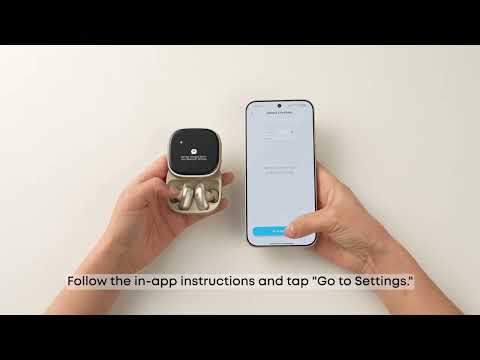
3. Open the app and tap "Add Device" on the left tab. The app will automatically connect to the earbuds (first-time access requires granting location permission).
4. If connection fails, tap "Set Up Manually" > Liberty > soundcore Liberty 5 Pro Max to check if manual addition works. (If the model is not found on this page, please take a screenshot).
5. If it still doesn't work, uninstall and reinstall the app again.
Important: Uninstalling the app will permanently delete all locally stored recordings and they cannot be recovered. Please back up any important recordings to the cloud or export them before uninstalling.
6. Check if your phone is connected to other Bluetooth devices. If so, disconnect them first before connecting to the app.
7. iOS versions below 13 (excluding iOS 13) do not support connection to soundcore Liberty 5 Pro Max.
If the issue still persists, please provide your phone model (from step 4), app version, screenshot, and app logs.
If first-time connection works but later fails:
1. Confirm if Multi-Device Connection is active. If you connected the app on phone A, phone B cannot connect to the app. Exit the app on phone A completely.
2. Restart the device, or try with another device.
If you encounter any other issues or your issue has not been resolved, please contact us for further assistance.