If you encounter the following issues:
1.Earbuds not pairing.
2.Sound only coming from one earbud.
3.One side not pairing with the other side or the device.
4.No audio playback after connecting to my device.
5.Failure to automatically connect with my device upon removal from the charging case.
Troubleshooting steps:
1. Restart the Bluetooth device (e.g., phone or computer). Forget all previous pairing records and disable Bluetooth.
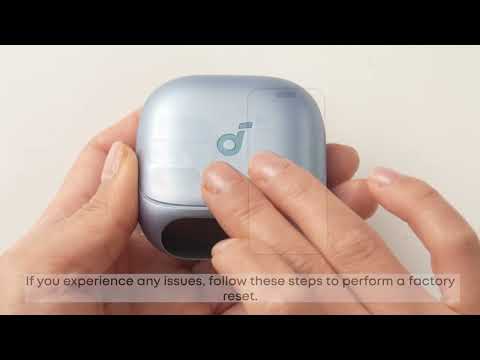
2. Fully charge and reset the earbuds by doing the following:
2.1. Place the earbuds in the charging case and leave the lid open.
2.2. Hold the button on the back of the charging case for 10 seconds until the screen displays "Resetting..." and returns to the home screen. This means the reset is complete.
Note:
Make sure the earbuds are properly connected to the case during reset. To verify this, check that:
- When the earbuds are slotted in the case, a charging icon (⚡️) appears for each earbud (left and right) on the charging case screen.
3. Enable Bluetooth on your device, search for "soundcore Liberty 5 Pro," and pair.
4. Try using another device (phone/tablet, etc.) to see if the issue persists.
If a pairing confirmation pop-up appears for "soundcore Liberty 5 Pro," select "Pair." If you accidentally select "Cancel," toggle Bluetooth off and on again and retry pairing.
5. After resetting, the charging case needs to be re-paired and connected to your phone and the app.
If you encounter any other issues or your issue has not been resolved, please contact us for further assistance.