How to reset the AeroFit 2 AI Assistant earbuds

If you're experiencing issues with your earbuds, resetting them can often resolve the problem. Follow these simple steps to reset your earbuds:


  1. Return the earbuds to the charging case and leave the case open. 

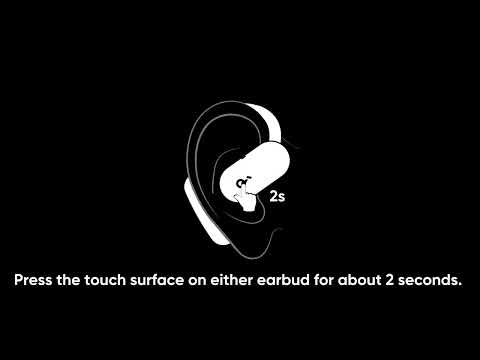
  2. Press the button on the case for more than 10 seconds. After 3 seconds, the case indicator light will start flashing white. After 10 seconds, the case indicator light will quickly flash white three times, indicating a successful reset.

  3. Your earbuds are now reset and ready to be paired again with your device. 


If you encounter any other issues or your issue has not been resolved, please contact soundcore customer support for further assistance.

Unresolved icon
20 undefined
Download icon
soundcore AeroFit 2 AI Assistant Керівництво користувача (A3874X)
Download icon
soundcore AeroFit 2 AI Assistant Kullanım Kılavuzu (A3874X)
Download icon
soundcore AeroFit 2 AI Assistant Οδηγός χρήσης (A3874X)
Download icon
soundcore AeroFit 2 AI Assistant Användarhandledning (A3874X)
Download icon
soundcore AeroFit 2 AI Assistant Упутство за кориснике (A3874X)
Download icon
soundcore AeroFit 2 AI Assistant Gwida għall-utent (A3874X)
View More
Play video
How to Clean and Maintain soundcore AeroFit 2 AI Assistant
Play video
How to use the Al assistant
Play video
How to connect my soundcore earbuds to Internet
Play video
Can I wake Anka when the app is closed?
Play video
What to do if Anka AI assistant is not working?
Play video
What should I do if Anka does not respond when I use the chat feature?
View More
Contactez-nous