How to Connect Soundcore Motion+ to a MacBook or Windows Laptop?
To connect Motion+ to a Macbook or Windows laptop, please try the following steps:
MacBook:
1. System Preferences > Bluetooth.

2. Connect Soundcore Motion+.
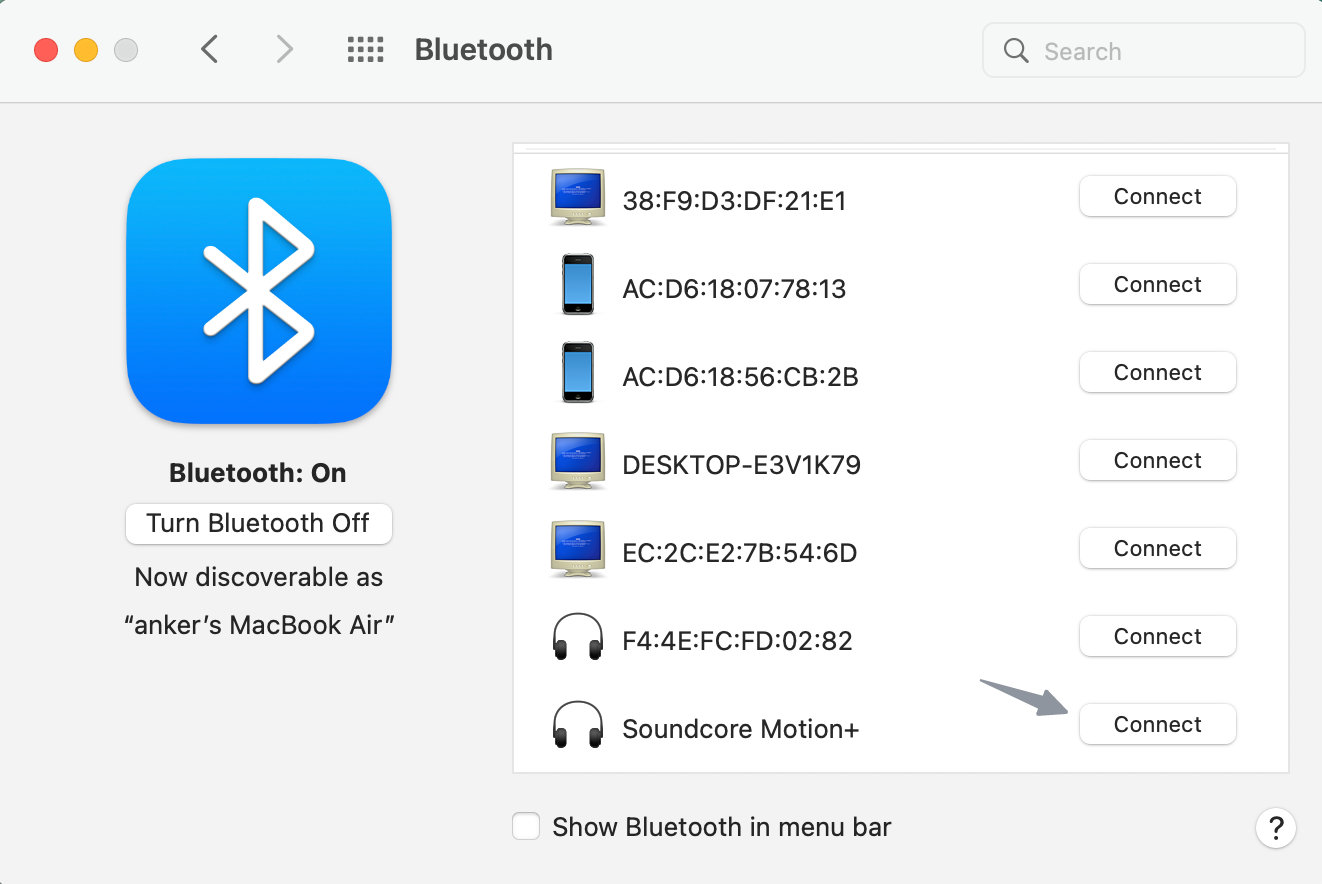
3. Go to System Preferences > Sound. Ensure Soundcore Motion+ is chosen in the sound panel.


Windows:
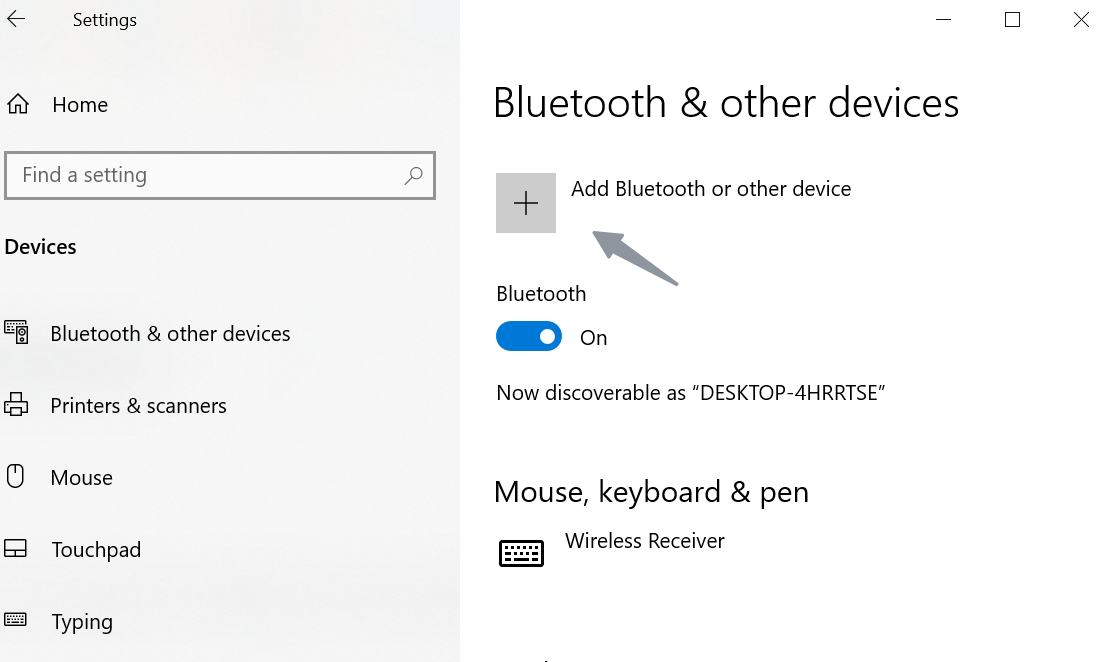
1. Settings > Devices > Add Bluetooth or other device > Bluetooth.

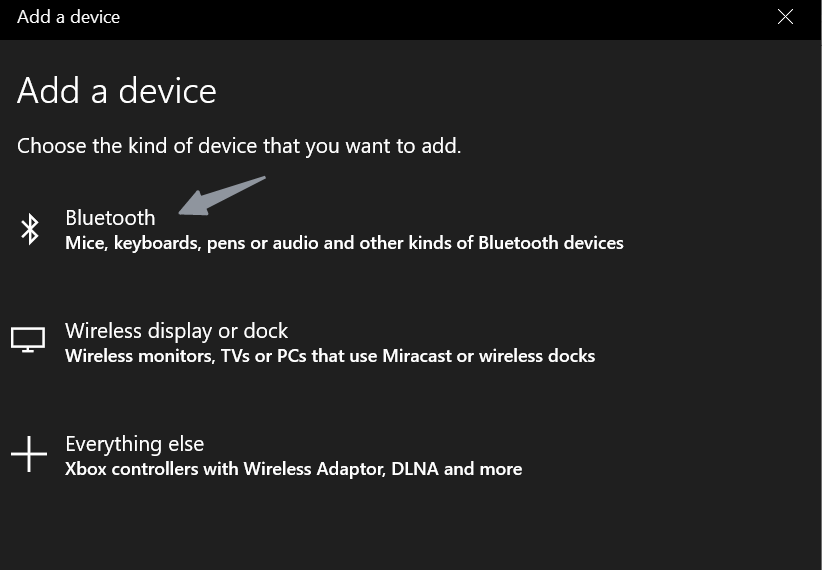
2. Find "Soundcore Motion+" in the list of available devices and connect.

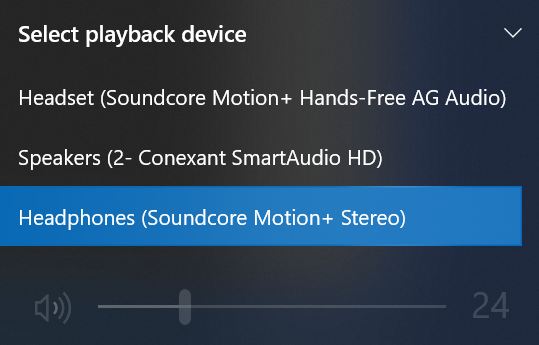
3. Open "Sound" to confirm that Motion+ is chosen in "Select playback device".
If you still have any concerns or issues with the laptop connection, please contact Soundcore customer service for further assistance.


20 undefined


What Should I Do If There is No Sound After Connecting My Motion+ with a PC via Bluetooth?
What Should I Do If My Soundcore Motion+ Cuts In and Out When It is in Stereo Pairing Mode?
Payments & Vouchers FAQ
How to Register Your E-Warranty Card in the Soundcore App
Guide to Locating the Serial Number (SN) of Your soundcore Speakers
soundcore Speakers with Multifunction Feature
soundcore Speakers with True Wireless Stereo technology (TWS)
How to stop soundcore speaker from buzzing noise

soundcore Motion+ User Guide (A3116)
A3116_Soundcore_Motion+_Manual
soundcore Motion+ 取扱説明書 (A3116)
A3116_Soundcore_Motion+_QSG
soundcore Motion+ Benutzerhandbuch (A3116)
soundcore Motion+ Руководство пользователя (A3116)
View More

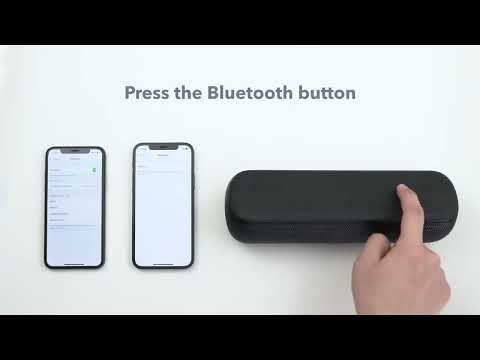
How to pair two devices with Motion+


