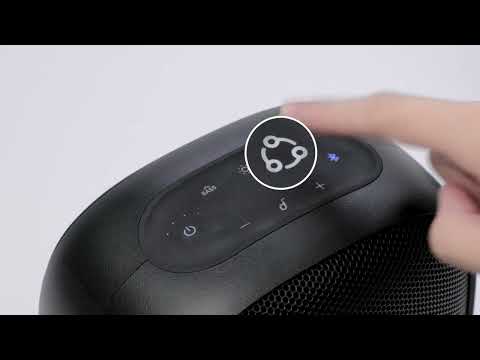
Soundcore App Introduction

Please refer to the following list of speaker models that are currently supported by the Soundcore app:


Flare / Flare+ / Flare S+ / Rave / Rave Mini / Mega / Trance / Wakey / Icon+ / Motion + / Motion Boom / Select Pro / Infini Pro / Flare 2 / Rave Neo / Soundcore Trance Go / Rave PartyCast / Soundcore Mini 3 / Soundcore 3 / Upgraded Soundcore Boost / Upgraded Soundcore Flare Mini (Gen 2) / Rave+ / Soundcore Mini 3 Pro / Soundcore Select 2 / Model Zero / Model Zero+


Using the Soundcore app to control speakers is only possible on speaker models with the corresponding chip installed. Devices that are not equipped with the chip cannot be connected to the Soundcore app. 


Note: The Soundcore app currently supports iOS and Android systems and can be downloaded from the App Store or Google Play Store.


Users normally don't need to register for an account when using the free Soundcore app. However, device information and configuration will not be saved in the Soundcore app without an account. Please follow the steps listed below to register for an account using your email address:

 
  1. Open the Soundcore app.
  2. Click the personal setting on the top left corner of the app page.
  3. Click log in.
  4. Enter the Log in page, then click Sign up.
  5. Use your valid email address to register for an account to use the Soundcore app.
 

If the account activation code has expired, please uninstall and reinstall the Soundcore app to try again. Please note that our speaker works properly with a Bluetooth device, but we recommend pairing the speaker with your phone first before connecting to the Soundcore app.


If you have additional questions, please contact us at service@soundcore.com for further assistance.


Download icon
Soundcore App Introduction
Unresolved icon
167 undefined
Unlock Our New Easy-To-Use Warranty Service
259482 views375 likes/2025-04-08 16:02:12
soundcore parts and accessories
28424 views1 likes/2025-04-08 16:00:05
Soundcore App Introduction
42735 views5 likes/2025-04-08 16:00:37
How Do I Connect to the Soundcore App?
25661 views3 likes/2025-04-08 16:00:47
How to reset a soundcore speakers
20595 views8 likes/2025-04-08 16:00:34
Soundcore Warranty Policy
56630 views10 likes/2022-10-13 11:05:11
How Do I Customize the EQ on my Speaker?
20328 views1 likes/2025-04-08 16:00:04
soundcore speakers failed to connect with my devices
14420 views1 likes/2025-04-08 15:56:00
How to Pair Two Soundcore Motion+ Speakers Together?
10005 views3 likes/2025-04-08 16:00:47
How to charge and power on soundcore speakers
13926 views3 likes/2025-04-08 15:56:00
Download icon
A3373_Infini_2_Declaration of Conformity
Download icon
A3373_Infini 2_Manual
Download icon
A33A1_Rave Neo 2 SE_QSG (CA-Costco Customized Version)
Download icon
A33A1 Rave Neo 2 SE Manual (CA-Costco Customized Version)
Download icon
A33A1_Rave Neo 2_QSG
Download icon
A33A1_Rave Neo 2_Manual
View More
Play videoHow to pair Rave Neo 2 with Select Pro
How to pair Rave Neo 2 with Select Pro
Play videoHow to pair Rave Neo 2 with Rave Neo
How to pair Rave Neo 2 with Rave Neo
Play videoHow to pair Rave Neo 2 with Flare 2
How to pair Rave Neo 2 with Flare 2
Play videoHow to pair Rave Neo 2 with Rave PartyCast
How to pair Rave Neo 2 with Rave PartyCast
Play videoHow to pair Motion Boom Plus with Rave PartyCast
How to pair Motion Boom Plus with Rave PartyCast
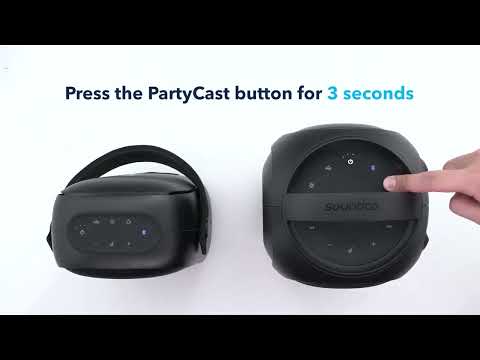
Play videoHow to pair Rave Neo, Rave PartyCast, and Trance Go Speakers via PartyCast
How to pair Rave Neo, Rave PartyCast, and Trance Go Speakers via PartyCast
View More