What should I do if the MACH V1 series' suction tube is blocked?
Please note that the suction tube connects to the bottom of the dirty water tank. After removing the dirty water tank, you will have a clear view of the suction tube and the suction tube should be clear of any debris. If there is any debris blocking the suction tube, it will cause the MACH V1 series to trigger an error and the vacuum cleaner will stop working.
Please try the following troubleshooting steps to verify if the issue can be resolved:
- Please upgrade the vacuum cleaner's firmware to the latest firmware version by going to the eufy Clean app > tap the upper right corner on the app's main interface to proceed to the Settings interface > tap Firmware Update.
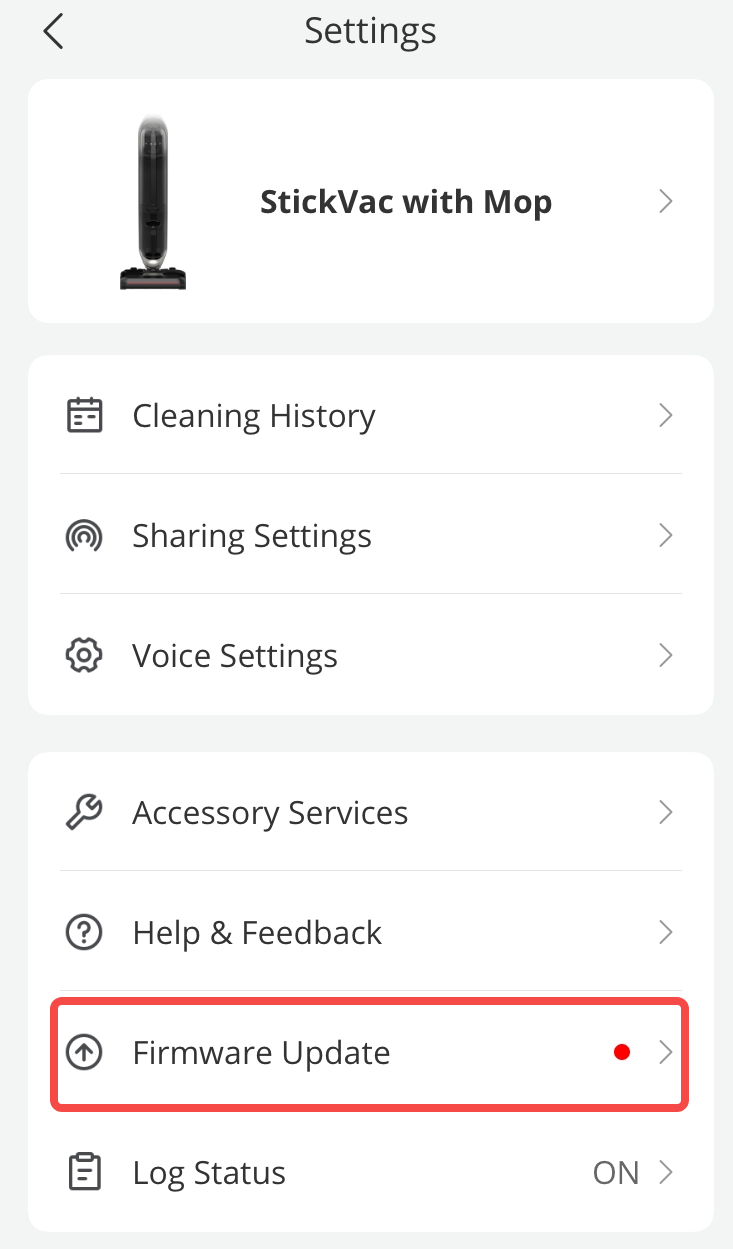
- Remove the dirty water tank to check if there is any debris in the suction tube. If necessary, please use the included cleaning tool to clean the suction tube.

If you have any further questions, please contact us for assistance.

What should I do if the MACH V1 series' suction tube is blocked?
Download
Applicable for those products :

Resolved

Unresolved
Copied
0 Results
Manuals & Downloads
EU Declaration of Conformity for soundcore A3i_A3992
Download
A3961 QSG V2(1)
Download
UK&CA Declaration of Conformity for soundcore Liberty 4_A3953
Download
EU Declaration of Conformity for soundcore Liberty 4_A3953
Download
A3947_Liberty 4 NC_QSG
Download
Liberty 4_A3953_QSG
Download
Q20i_QSG
Download
A6610_soundcore_Sleep_A10_QSG
Download
EU&UK Declaration of Conformity for soundcore Sleep A10_A6610
Download
A3947_Liberty 4 NC_User Manual
Download
Support Videos


