If you feel that the noise cancellation effect is not as effective as expected, please try the following:
|
1
|
Check the fit
|
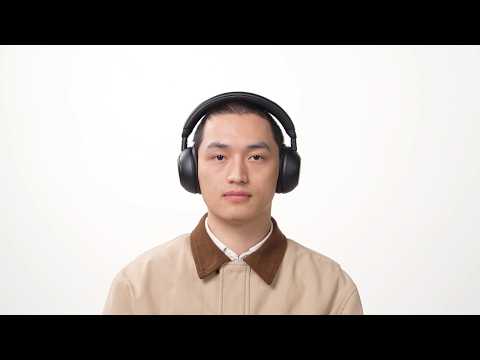
ANC performance relies heavily on a good physical seal. If the fit is loose or there are gaps, ambient noise may enter and reduce the effectiveness of noise cancellation.
Ensure the ear cushions fit snugly against your head, especially around the edges where the ear cushions make contact with your skin.
|
|
2
|
Check the ANC status and level
|
Open the soundcore app and confirm that ANC mode is enabled. Make sure the noise cancellation level is set to an appropriate level for your environment.
|
|
3
|
Check the microphone opening
|
Make sure there is no dust or debris blocking the microphone opening.
The ANC microphones are usually located on the outer side of the headphones. Gently clean the microphone area using a soft, dry cloth or adhesive pad.
Note: Avoid using liquid cleaners or sprays.
|
|
4
|
Check the environments
|
Test in different noise environments:
ANC is most effective at reducing low‑frequency noise (below approximately 1.2 kHz), such as airplane cabin noise, train noise, air conditioners hum, or background sound in office environments. It is less effective for higher‑frequency sounds, such as voices or sudden sharp noises. Testing in different environments can help you better understand how ANC performs.
|
|
5
|
Reset
|
Reset the headphones.
-
Ensure the headphones are powered on.
-
Press and hold the Power button and Volume "+" buttons simultaneously for 5 seconds. The red power LED will flash slowly 3 times, indicating that the factory reset process has begun.
|
If you encounter any other issues or your issue has not been resolved, please contact us for further assistance.