How to configure the APN information on the 4G Camera?
If your 4G Starlight Camera cannot complete the setup process, you may have to update the APN information (Especially for MVNO SIM cards). Please check the following steps to complete the APN setup process.
Obtain the APN information: (APN usually includes APN, username, and password)
- You may need to ask your network provider for your SIM card's APN information.
- You can also check the APN information on a laptop/desktop by using the following link: https://android.googlesource.com/device/sample/+/master/etc/apns-full-conf.xml
Access the APN settings:
- During the setup process, please select APN Configuration as shown in the image below.
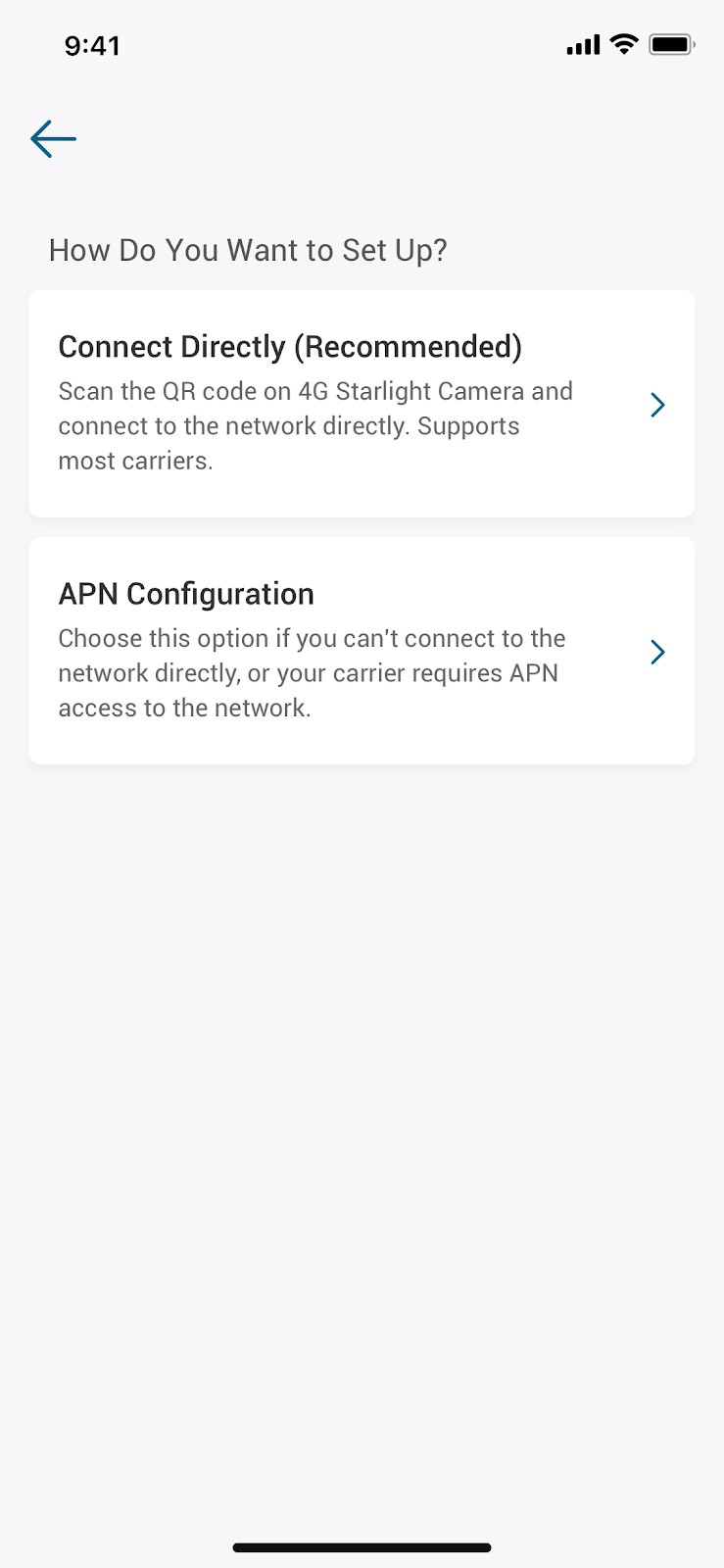
- If you have set up the camera, you can also change the APN information in the App (Device Tab > ”…” icon > Gear icon> Camera Settings > APN Settings).
If you have further questions about how to configure the APN information, please provide the SIM Card package information and APN information to us for assistance.

How to configure the APN information on the 4G Camera?
Download
Applicable for those products :

Resolved

Unresolved
Copied
0 Results
Manuals & Downloads
EU Declaration of Conformity for soundcore A3i_A3992
Download
A3961 QSG V2(1)
Download
UK&CA Declaration of Conformity for soundcore Liberty 4_A3953
Download
EU Declaration of Conformity for soundcore Liberty 4_A3953
Download
A3947_Liberty 4 NC_QSG
Download
Liberty 4_A3953_QSG
Download
Q20i_QSG
Download
A6610_soundcore_Sleep_A10_QSG
Download
EU&UK Declaration of Conformity for soundcore Sleep A10_A6610
Download
A3947_Liberty 4 NC_User Manual
Download
Support Videos


