How to Locate the Serial Number on AnkerWork Products?

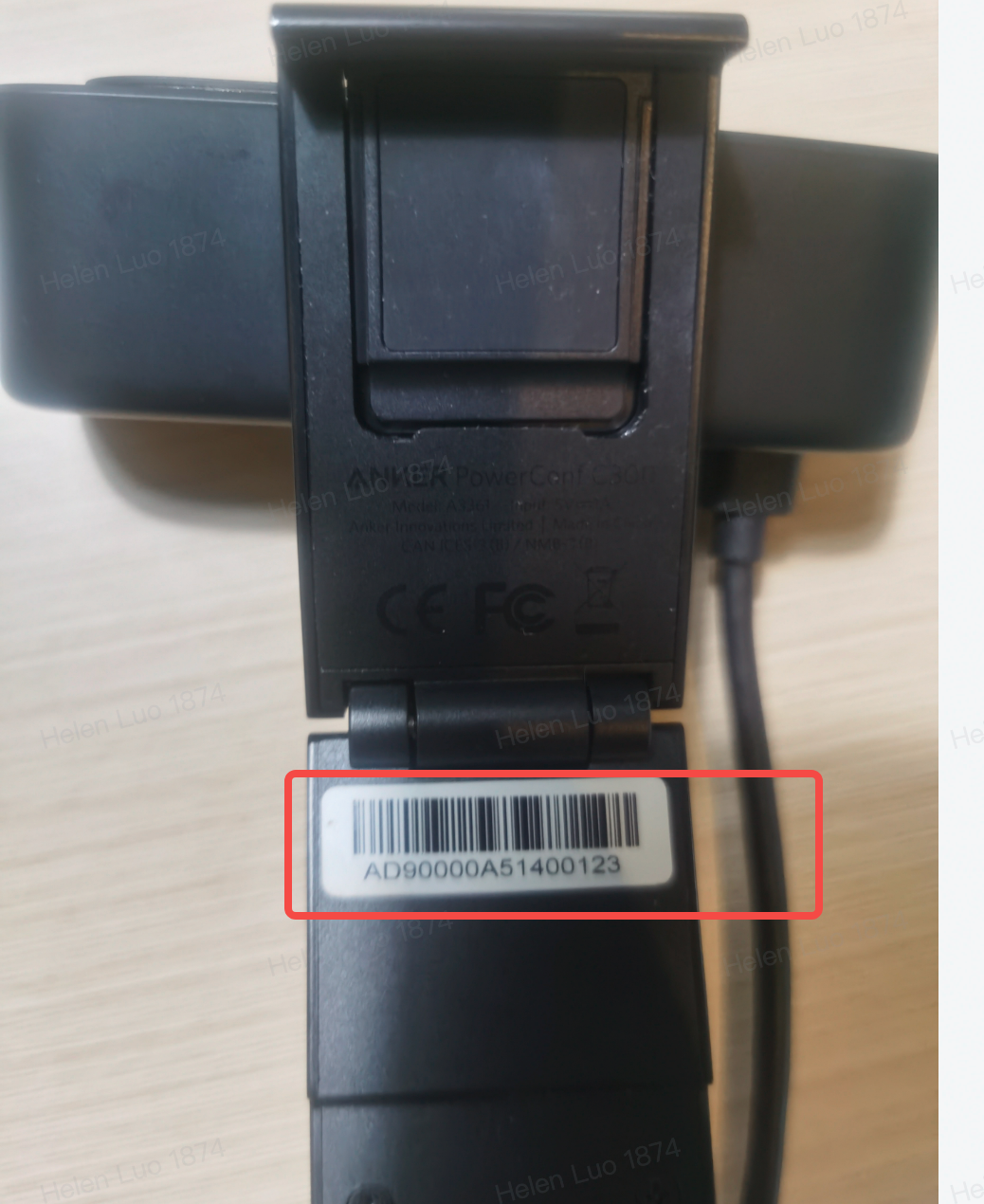
For quality control and tracking purposes, AnkerWork support staff may ask you for the serial number(SN) of your product. You can normally find it on the main body of the product. Here we will list out all the SN locations for your reference.

Product Name

SN Location

Example

A3301 PowerConf
A3306 PowerConf+
A3302 PowerConf S3
A3305 PowerConf S500
A3308 PowerConf S330
A3307 PowerConf S360

AnkerWork App: Settings>Device SN

Device: on the bottom of the device

A3361 PowerConf C300
A3362 PowerConf C302
A3369 PowerConf C200
A3383 AnkerWork B600

AnkerWork App: AnkerWork app>Device page

Device: on the bottom of the device

A33X0 PowerCast M300 

Package: on the back of the package box

Device: on the bottom of the microphone base


A3510  PowerConf H700


A3511 PowerConf H500

AnkerWork App: AnkerWork app>Device page>Setting

Device: Etched on the L Slider Inner


If you can't find the SN or the SN is illegible, a picture of the product itself with the Anker or Soundcore logo showing is also helpful. If you still have any questions regarding the serial number, please contact us for further assistance.

Unresolved icon
20 undefined
Download icon
A3308 PowerConf S330 EU Declaration of Conformity V1.5
Download icon
AnkerWork PowerConf S3 User Guide (A3302)
Download icon
PowerConf C200 User Guide (A3369)
Download icon
AnkerWork PowerConf User Guide (A3301)
Download icon
PowerConf S500 User Guide (A3305)
Download icon
PowerConf S500 取扱説明書 (A3305)
View More
Play video
How to Set Up AnkerWork B600
Play video
Anker PowerConf: How To Use
Play video
How to Turn On AnkerWork B600’s Light
Play video
How to Adjust AnkerWork B600’s Light
Play video
Unboxing AnkerWork B600 Video Bar
Play video
How to Use AnkerWork B600’s Software Application
View More
Contact Us