Do All Eufy Smart Lock Models Use the Same Battery?
- T8500: Smart Lock / Smart Lock with WiFi Bridge
- T8501: Smart Lock D20
- T8510: Smart Lock Touch / Smart Lock Touch with WiFi Bridge
- T8520: Smart Lock Touch & WiFi
Please note both the T8500, T8501 and T8510 smart lock models use 4 AA batteries, and only the T8520 smart lock model has a rechargeable battery with a 10,000mAh capacity. Here is a link for the battery of T8520 Lock: https://us.eufy.com/products/t8520111-85
How long should the battery last?
The battery should last for a time period of up to 12-month, depending on the frequency of usage.
How do I recharge the smart lock?
For the T8500, T8501 and T8510 smart lock models, please simply replace the 4 AA batteries with brand new batteries.

For the T8520 smart lock model, please remove the rechargeable battery from the smart lock before charging. It is also recommended to use a 5V/2A charger in order to fully recharge the battery.
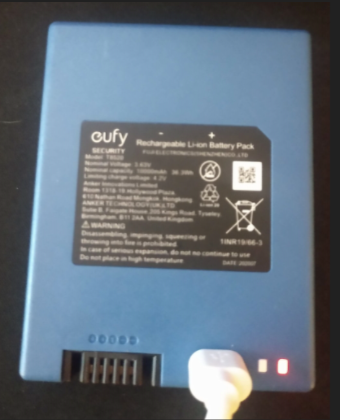
How long does it take to recharge the smart lock battery?
For the T8520 rechargeable battery, it takes 6-7 hours to recharge the 10,000mAh battery using a micro USB cable and a 5V/2A charger.
If you still need help with recharging your smart lock, please contact eufy customer support for further assistance.


