How do I set the input and output to soundcore Liberty 5 Pro on a Windows computer?
Windows:
For music only: Set the PC audio output to "soundcore Liberty 5 Pro Stereo."
For calls:
1) Set PC audio input and output to "soundcore Liberty 5 Pro Hands-Free."
2) In your conferencing software on the PC, set audio input and output to "soundcore Liberty 5 Pro Hands-Free."
Apple:
1) Set both the audio input and output to "soundcore Liberty 5 Pro" in system sound settings.
If you encounter any other issues or your issue has not been resolved, please contact us for further assistance.


20 undefined
What should I do if the volume is low when using soundcore Liberty 5 Pro with a computer?


How should I wear soundcore Liberty 5 Pro?
What should I do if I feel discomfort after wearing the soundcore Liberty 5 Pro for a long time?
What should I do if the soundcore Liberty 5 Pro earbuds easily fall out while I'm wearing them?
How do I install the ear tips on soundcore Liberty 5 Pro?
How do I remove the ear wings from soundcore Liberty 5 Pro?
What should I do if the ANC performance of soundcore Liberty 5 Pro does not meet my expectations?
What should I do if I hear noise while using soundcore Liberty 5 Pro's ANC mode on bumpy roads?
What should I do if I feel dizzy or pressured in my ears when using soundcore Liberty 5 Pro's ANC mode?
What should I do if I encounter wind noise when using soundcore Liberty 5 Pro outdoors?

【D1203】【soundcore Liberty 5 Pro) EU Declaration
soundcore Liberty 5 Pro User Guide (D1203)
soundcore Liberty 5 Pro Benutzerhandbuch (D1203)
soundcore Liberty 5 Pro 用户指南 (D1203)
soundcore Liberty 5 Pro 사용자 가이드 (D1203)
Soundcore Liberty 5 Pro 取扱説明書 (D1203)
View More

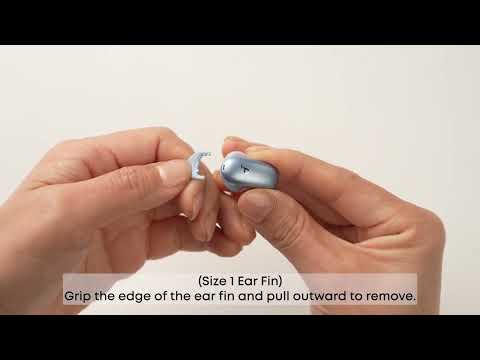
How Do I Wear My soundcore Liberty 5 Pro Properly?

How Do I Use the Liberty 5 Pro's Touch Controls?
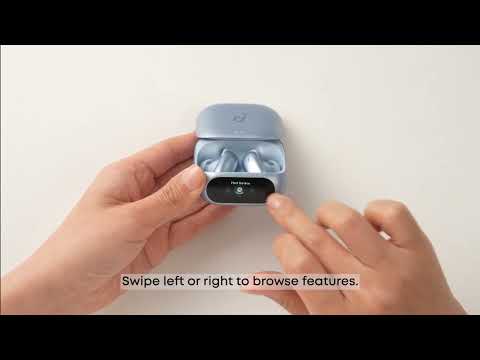
How Do I Use the Smart Screen on the Charging Case?
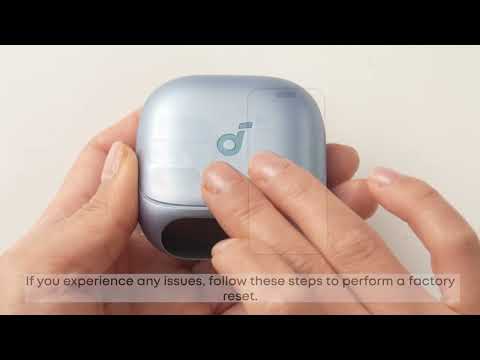
How Do I Pair or Reset the Liberty 5 Pro's Earbuds?

How do I Clean My Liberty 5 Pro's Earbuds and Charging Case?


