How do I enable Multi-Device Connection on soundcore Liberty 5 Pro?

When already connected to one device:

Method 1: Press and hold the touch area on both earbuds simultaneously for 3 seconds until you hear the prompt tone, then pair the second device via Bluetooth.

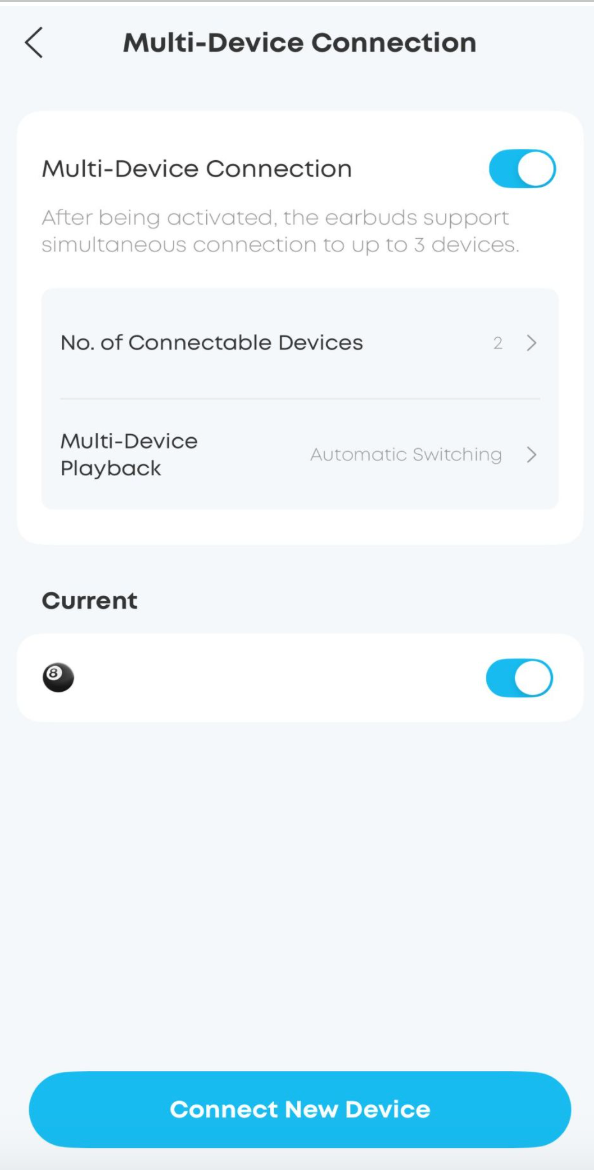
Method 2: Go to App Settings (top right) > Multi-Device Connection List > Connect New Device.

Method 3: Place the earbuds in the open charging case, hold the case button for 3 seconds to enter pairing mode, then connect the second device.

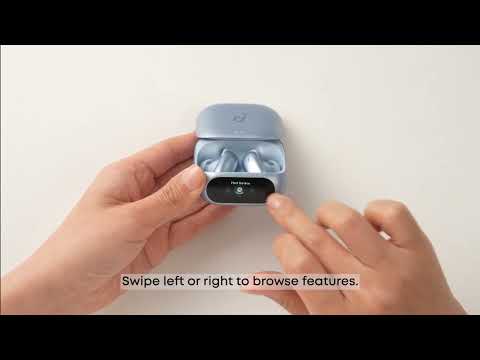
Method 4: Place the earbuds in the charging case. On the case screen, swipe to "Bluetooth Pairing," enter the pairing interface, and swipe to connect a new device.


If you encounter any other issues or your issue has not been resolved, please contact us for further assistance.
Unresolved icon
66 undefined
Download icon
soundcore Liberty Buds User Guide (D1200)
Download icon
soundcore Liberty Buds 取扱説明書 (D1200)
Download icon
soundcore Liberty Buds دليل المستخدم (D1200)
Download icon
soundcore Liberty Buds Ръководство за потребителя (D1200)
Download icon
soundcore Liberty Buds Korisničko uputstvo (D1200)
Download icon
soundcore Liberty Buds Uživatelská Příručka (D1200)
View More
Play videoHow to Deep Clean Liberty Buds | soundcore Support
How to Deep Clean Liberty Buds | soundcore Support
Play videoHow to Reset Liberty Buds | soundcore Support
How to Reset Liberty Buds | soundcore Support
Play videoHow to Wear Liberty Buds Correctly | soundcore Support
How to Wear Liberty Buds Correctly | soundcore Support
Play videoHow to Connect to 2 Devices at the Same Time | soundcore Support
How to Connect to 2 Devices at the Same Time | soundcore Support
Play videoHow Do I Wear My soundcore Liberty 5 Pro Properly?
How Do I Wear My soundcore Liberty 5 Pro Properly?
Play videoHow Do I Use the Liberty 5 Pro's Touch Controls?
How Do I Use the Liberty 5 Pro's Touch Controls?
View More
Contact Us