How Does One-Touch Locking Work on eufy Smart Lock
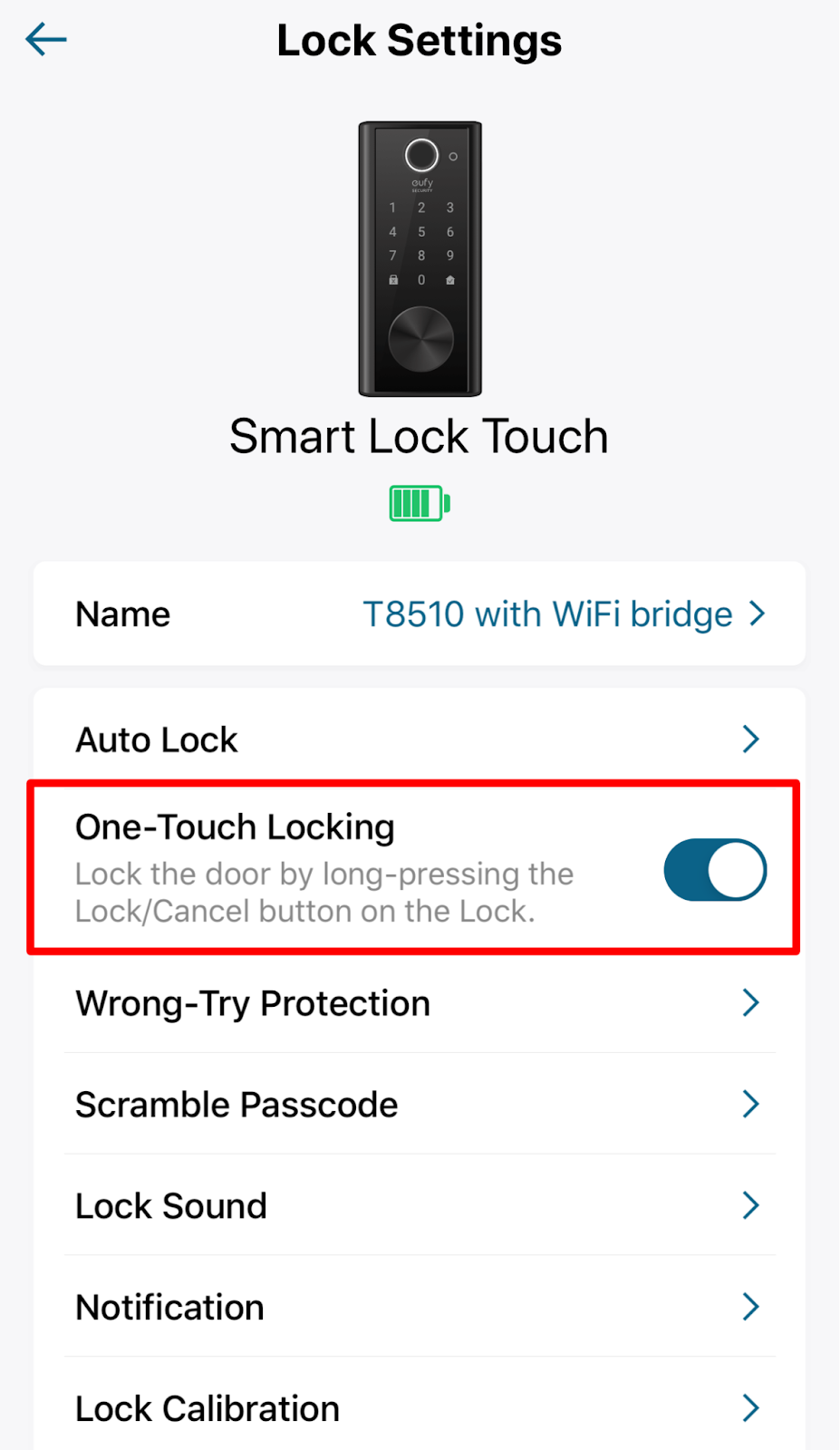
“One-Touch Locking” allows users to simply and fast lock the door by pressing the button on the lock keypad.
On the eufy App, the “One-Touch Locking” option is set to On by default but may be disabled. To use One-Touch Locking, you can toggle the “One-Touch Locking” to the right to enable this function and long press the “X” (Lock/Cancel) button on the lock keypad to lock the door.

If you have any questions, please contact us for further assistance.

How Does One-Touch Locking Work on eufy Smart Lock
Download
Applicable for those products :

Resolved

Unresolved
Copied
0 Results
Manuals & Downloads
EU Declaration of Conformity for soundcore A3i_A3992
Download
A3961 QSG V2(1)
Download
UK&CA Declaration of Conformity for soundcore Liberty 4_A3953
Download
EU Declaration of Conformity for soundcore Liberty 4_A3953
Download
A3947_Liberty 4 NC_QSG
Download
Liberty 4_A3953_QSG
Download
Q20i_QSG
Download
A6610_soundcore_Sleep_A10_QSG
Download
EU&UK Declaration of Conformity for soundcore Sleep A10_A6610
Download
A3947_Liberty 4 NC_User Manual
Download
Support Videos


