What should I do if my over-ear headphones have no sound or can’t pair with a device?

You can try the general troubleshooting steps when you encounter sound and pairing issues and let us know if it works:

1) "Forget" the headphones in your device's Bluetooth history.

2) Reset the headphones. 

3) Try connecting the headphones with another device.

Here are tips to reset Soundcore’s over-ear headphones:

A3028/A3029

Hold down the Power button and Volume+ for 5 seconds

A3027/A3030

Hold down Power button and Volume+ for 5 seconds

A3031

Hold down Multifunction Button (MFB) and Volume+ for 5 seconds when charging

A3021

Hold the Bluetooth and Play buttons for 5 seconds when pairing

A3023

Hold down Multifunction Button (MFB) and Volume+ for 5 seconds when inserting a USB charger

A3025/A3024

Hold down the Power button and Volume+ for 5 seconds when inserting a USB charger

A3032/A3033

Hold down the Power button and Volume+ for 5 seconds when charging

A3045

Hold down the Power button and Volume+ for 5 seconds when inserting a USB charger


If you have additional questions, please contact us at Service@soundcore.com for further assistance. Make sure to mention that you have tried the steps in this FAQ so our agents do not ask you to repeat these steps.


Download icon
What should I do if my over-ear headphones have no sound or can’t pair with a device?
Unresolved icon
24 undefined
Unlock Our New Easy-To-Use Warranty Service
259481 views375 likes/2025-04-08 16:02:12
soundcore parts and accessories
28424 views1 likes/2025-04-08 16:00:05
How to Reset Your soundcore Headphones
48645 views4 likes/2025-04-08 16:03:59
Major Differences Between Over-Ear Headphones
19612 views3 likes/2025-04-08 16:02:36
Soundcore Warranty Policy
56630 views10 likes/2022-10-13 11:05:11
Parts and Accessories of soundcore Headphones
11554 views1 likes/2025-04-08 16:02:25
How to Identify Genuine soundcore Products
17794 views2 likes/2025-04-08 16:02:15
Download icon
A3030 Life Tune Pro Quick Start Guide
Download icon
EU&UK_Declaration_of_Conformity_for_soundcore_Tune_Pro_A3030
Download icon
A3030 Life Tune Pro DOC
Download icon
A3031 Vortex DOC
Download icon
A3031 Vortex User Manual
Download icon
A3032 Life Q10 DOC
View More
Play videoHow to Reset Life Q30/Q35
How to Reset Life Q30/Q35
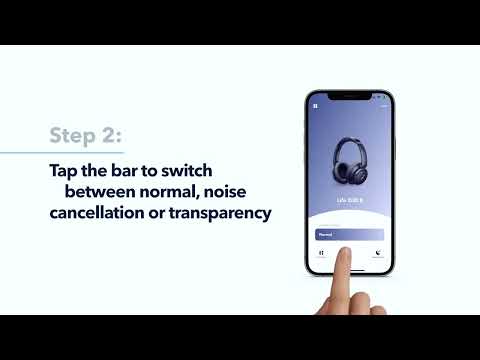
Play videoHow to Switch Modes on Life Q30/Q35
How to Switch Modes on Life Q30/Q35
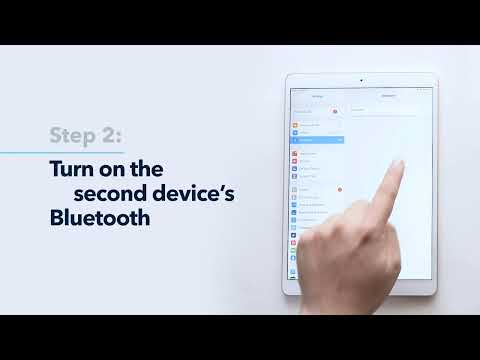
Play videoHow to Pair Life Q30/Q35 with Two Devices at the Same Time
How to Pair Life Q30/Q35 with Two Devices at the Same Time
Play videoHow to Pair Life Q30/Q35
How to Pair Life Q30/Q35
Play videoHow to Turn On Noise Cancellation and Transparency Modes for Life Q30/Q35
How to Turn On Noise Cancellation and Transparency Modes for Life Q30/Q35
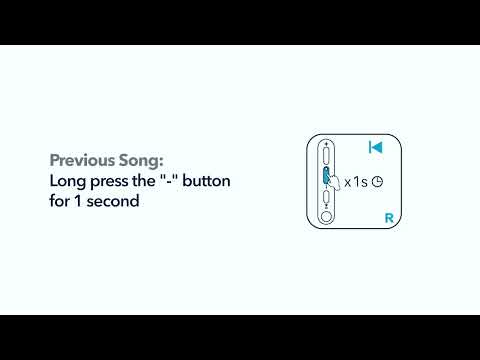
Play videoHow to Control Life Q30/Q35
How to Control Life Q30/Q35
View More