How to Connect Soundcore Motion+ to a MacBook or Windows Laptop?
To connect Motion+ to a Macbook or Windows laptop, please try the following steps:
MacBook:
1. System Preferences > Bluetooth.

2. Connect Soundcore Motion+.
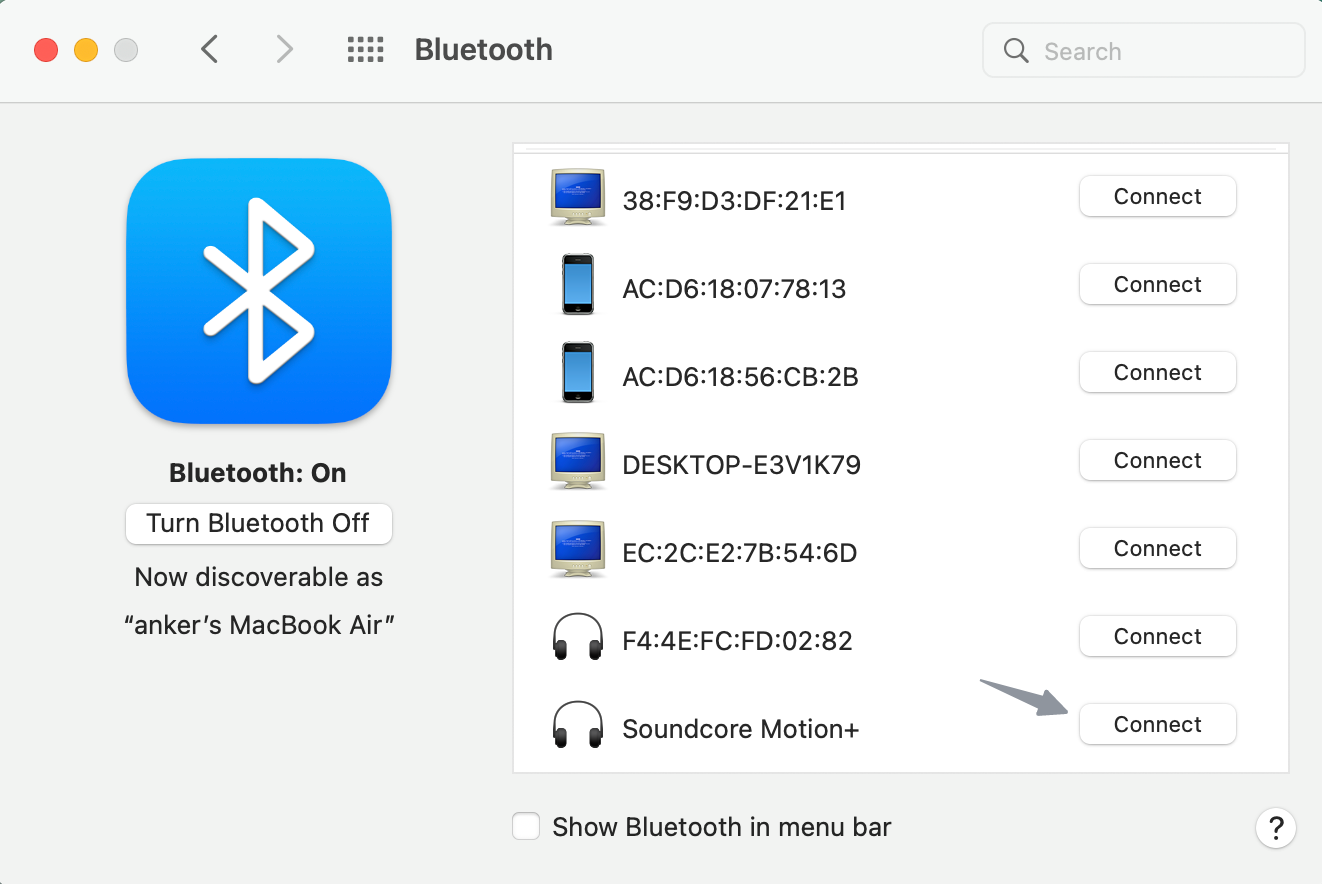
3. Go to System Preferences > Sound. Ensure Soundcore Motion+ is chosen in the sound panel.


Windows:
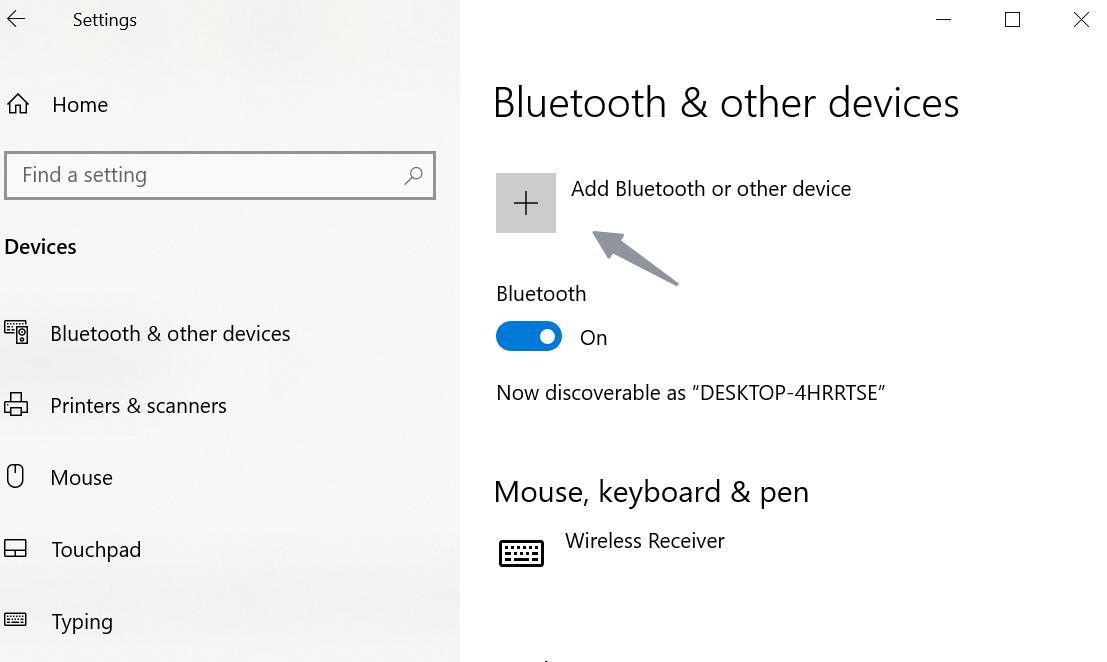
1. Settings > Devices > Add Bluetooth or other device > Bluetooth.

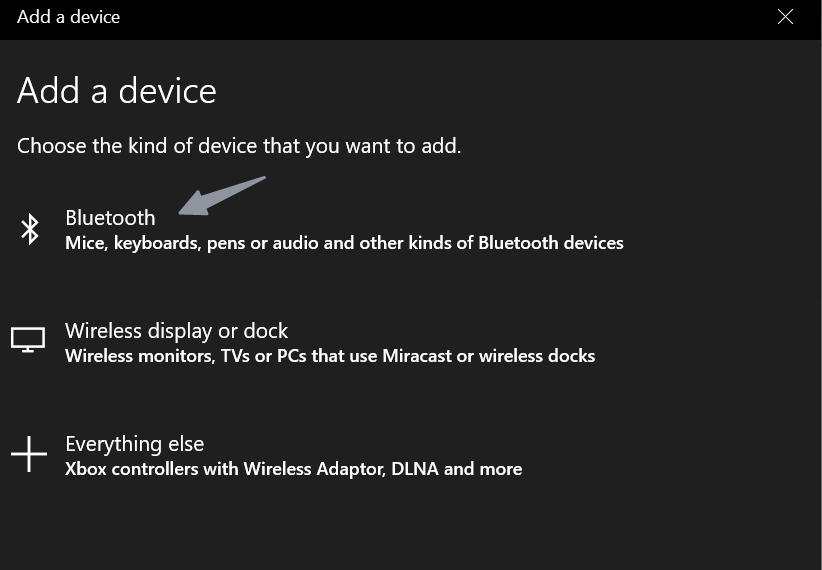
2. Find "Soundcore Motion+" in the list of available devices and connect.

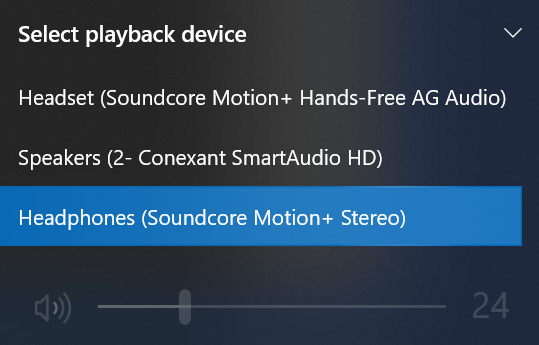
3. Open "Sound" to confirm that Motion+ is chosen in "Select playback device".
If you still have any concerns or issues with the laptop connection, please contact Soundcore customer service for further assistance.


20 undefined


What Should I Do If There is No Sound After Connecting My Motion+ with a PC via Bluetooth?
What Should I Do If My Soundcore Motion+ Cuts In and Out When It is in Stereo Pairing Mode?
Payments & Vouchers FAQ
How to adjust the EQ of soundcore Motion+ speaker
Anker soundcore app Introduction
How Do I Connect to the Anker soundcore app?
How Do I Customize the EQ on my Speaker?

【A3116】Soundcore Motion + EU Declaration
soundcore Motion+ User Guide (A3116)
A3116_Soundcore_Motion+_QSG
A3116_Soundcore_Motion+_Manual
soundcore Motion+ Guide de l'utilisateur (A3116)
soundcore Motion+ دليل المستخدم (A3116)
View More

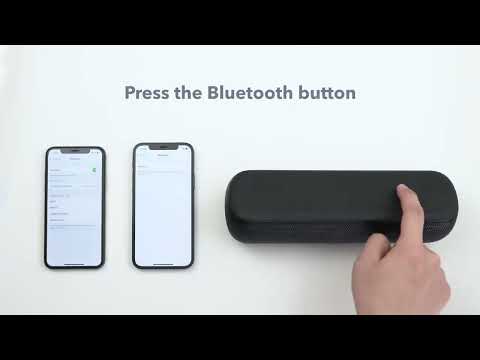
How to pair two devices with Motion+


