Battery performance depends on the product itself, as well as how you charge it and your daily usage habits. Charging correctly can help keep the battery in good condition. If the headphones cannot be charged, the issue can usually be resolved with a few simple checks. This article covers basic charging methods, daily usage tips, and troubleshooting steps if charging does not work.
Understanding Battery Life and Charging
-
Battery life and charging time vary by model. Refer to your product specifications. Rated battery life is typically based on testing at a fixed volume level (usually 50%) at room temperature.
-
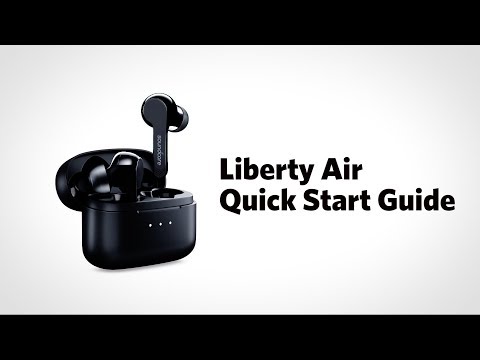
For earbuds, total battery life includes both the earbuds’ battery life and the additional charges provided by the charging case. Check each specification separately.
-
Fast charging and wireless charging are supported on certain models only. Refer to your product specifications.
-
Higher volume, using high-bitrate codecs such as LDAC, and enabling features such as Noise Cancellation, spatial audio, custom EQ, dual-device connection, and wear detection will all increase power consumption.
-
Phone calls typically use more power than music playback.
Correct Charging Methods
-
Use the cable included with the product. If you use another cable, choose a reliable-quality USB-C cable.
-
Use a standard 5V charger, and follow the input specifications listed for your product. Chargers with excessively high output power may damage certain models.
-
Charge in an environment between 0°C and 45°C. Charging may take longer in low temperatures.
-
Charging via a computer’s USB port may be slower than using a wall charger.
-
For models that support wireless charging, use a standard Qi wireless charger.
Daily Usage Tips
-
Charging status is usually indicated by the LED indicator. For over-ear headphones, the red light typically stays on while charging and turns off when fully charged. For earbuds, status is usually shown by the charging case indicator lights. For details, refer to the user manual for your model.
-
When the battery is low, some models periodically play a low-battery tone. You can adjust voice prompt settings in the app.
-
To extend battery life, turn off features you do not need for the moment, such as LDAC, Dolby audio, custom EQ, dual-device connection, and wear detection.
-
Avoid waiting until the battery is completely drained before charging.
-
If the headphones get wet from sweat or rain, wipe them dry and make sure the charging contacts are completely dry before placing them in the charging case or connecting them to power. Earbud charging cases are not waterproof, so do not let them come into contact with liquids.
Please Note:
-
If actual battery life is lower than the rated value, it is usually related to higher volume, using high-bitrate codecs, or enabling additional features.
-
Battery performance will naturally decline over time and with frequent use.
Troubleshooting Steps if Charging Does Not Work
-
Check the charging port, cable connector, and charging contacts for debris, and clean them using the recommended cleaning method.
-
Check whether the contacts on the headphones and the charging case are damp. If there is moisture, wipe them dry and let them air-dry before charging. Do not use hot air to dry them.
-
Try a different cable and charger that you know work properly.
-
Earbuds: Make sure the left and right earbuds are placed in the correct slots in the charging case and that they make good contact. Also confirm the charging case has power.
-
Over-ear headphones: Connect to power while the headphones are powered off, then try turning them on. If the battery is completely drained, keep them connected to power for about 15 minutes before turning them on, and avoid repeatedly unplugging and replugging the charging cable.
-
Make sure the charging environment is between 0°C and 45°C.
-
If the headphones have not been used for a long time, charge them for at least 2 hours first, then check whether they recover.
If you encounter any other issues or your issue has not been resolved, please contact us for further assistance.